English
9
TIME/CALENDAR SETTING
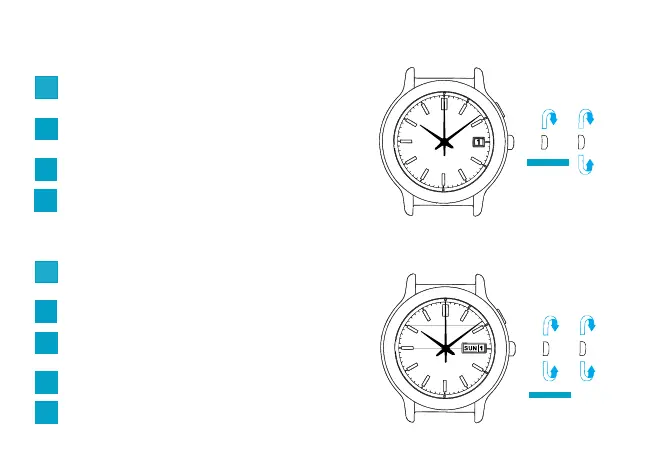
● CAL. 3M62 & 5M62
● CAL. 5M63
Pull out the crown to the first click and set the
previous day’s date.
1
Pull out the crown to the second click and turn the
hands to set the desired date.
2
➠
➠➠
➠
➠
➠
Pull out the crown to the first click and set the
previous day’s date.
1
Set the previous day of the week.
3
Pull out the crown to the second click and turn the
hands to set the desired date and day.
2
Set the hands to the desired time.
4
Push back the crown completely.
5
3
Set the hands to the desired time.
Push back the crown completely.
4



 To Next Page