English
English
18 19
3. After completing the time difference adjustment, check the position of the hour hand
once again and push the crown back in.
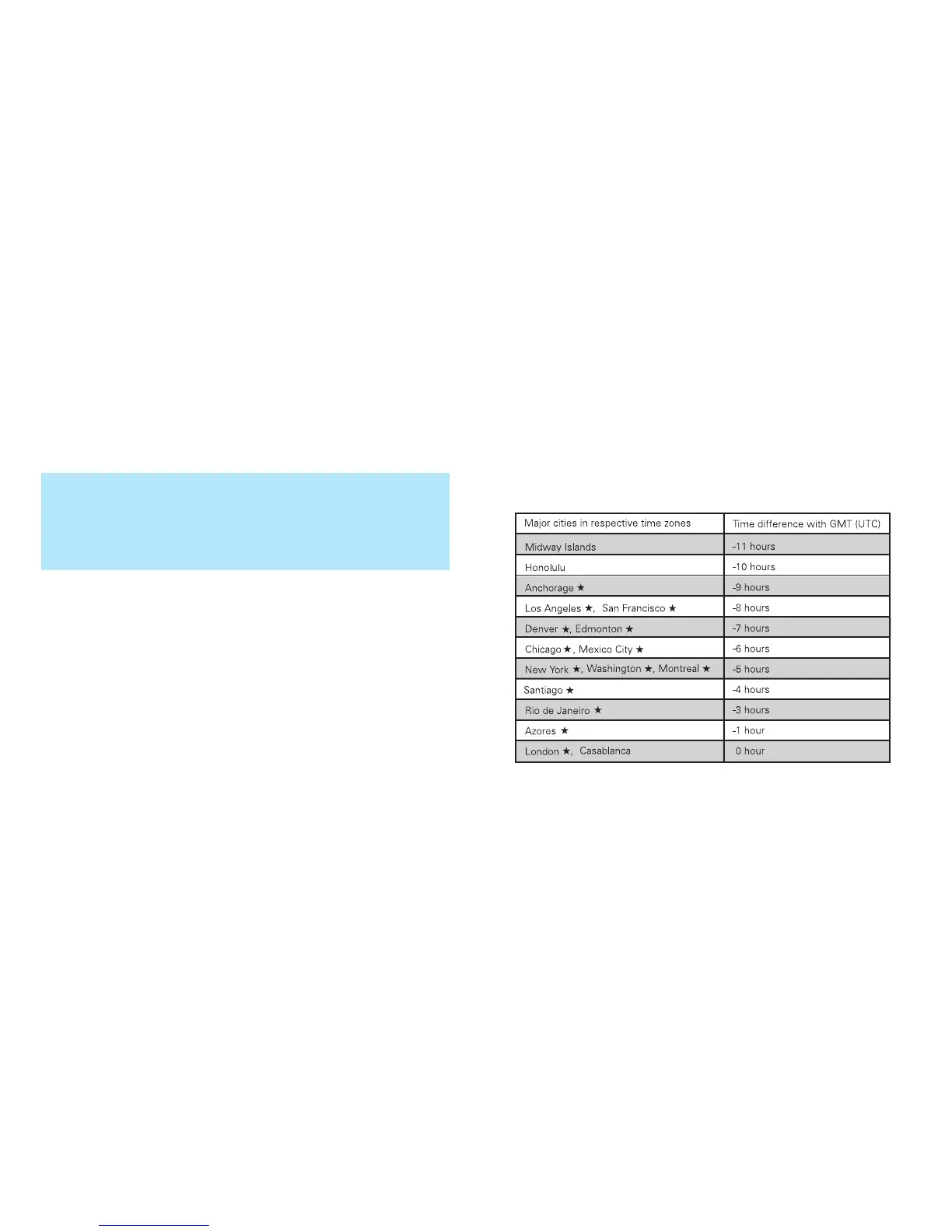
* Refer to "Time difference table" for time differences from GMT (UTC).
* When adjusting the time difference, make sure that AM/PM and the date are cor-
rectly set.
* When adjusting the hour hand, the other hands may move slightly. However, this is
not a malfunction.
* When turning the crown clockwise to set the hour hand to indicate any time be-
tween 9:00 P.M. and midnight, keep turning until the hour hand points to 8:00 P.M.,
and then advance it to the desired time.
l
Time difference table
* Refer to the table below for time differences from GMT (UTC) in major cities in
the world.



 To Next Page