English
English
12 13
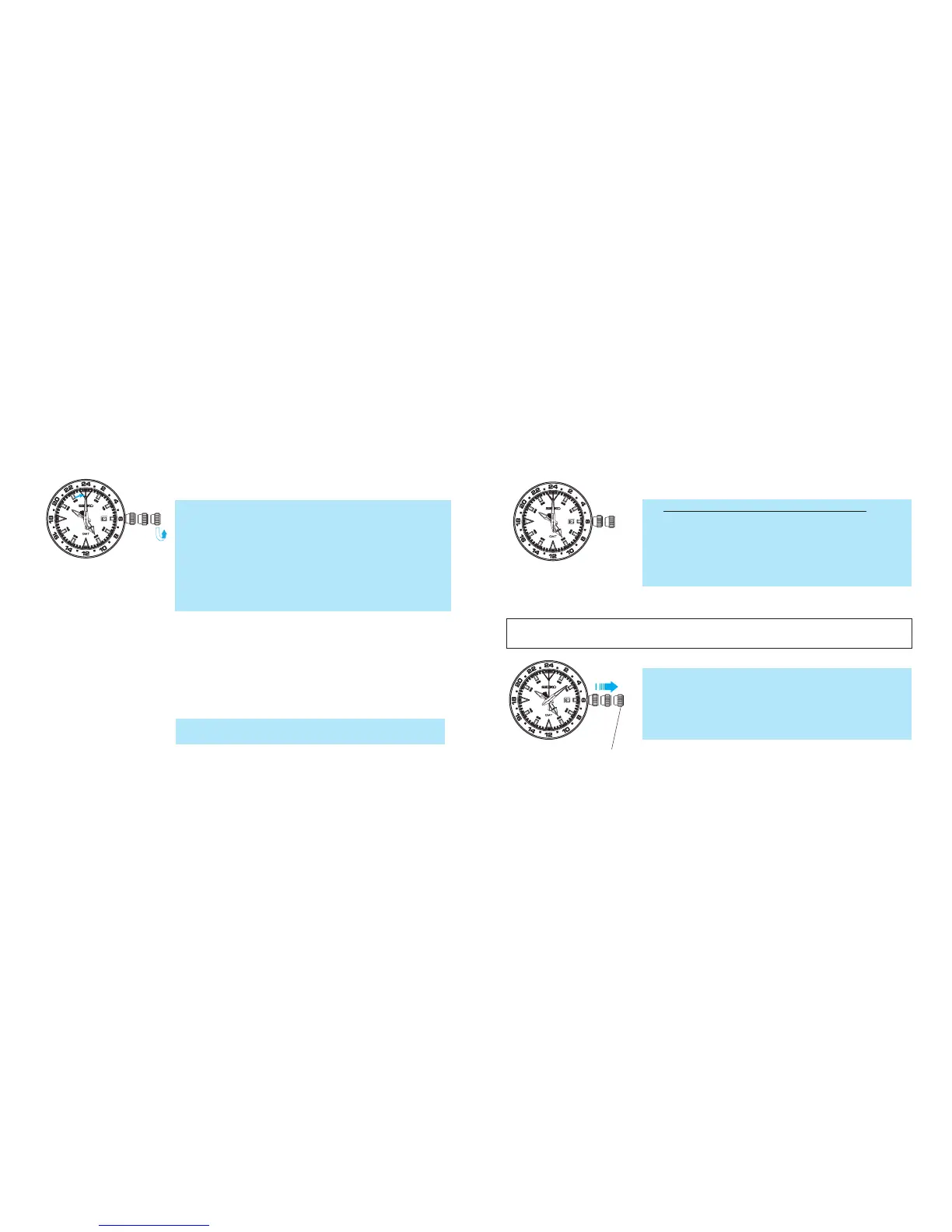
1. Pull out the crown to the second click.
* Pull the crown out when the second hand is at the 12
o’clock position and the second hand will stop on the
spot.
* When setting the time, ensure that the watch is work-
ing: the second hand is moving at one-second inter-
vals.
5. Turn the crown to set the hour hand to the current
hour.
* Also, adjust the date at this point if necessary.
*
The moment the date changes is midnight. When set-
ting the hour hand, be sure that AM/PM is set correctly.
* Turn the crown slowly, checking that the hour hand
moves in one-hour increments.
* When adjusting the hour hand, the other hands may
move slightly. However, this is not a malfunction.
6. Push the crown back in upon completion of time set-
ting.
2. Turn the crown to set the 24-hour and minute hands to
the current time.
4. Pull out the crown to the first click.
3. Push the crown back in simultaneously with a time
signal.
* The setting of the 24-hour, minute and second hands
to the current time is now completed.
<Example>
To set to 10:00 A.M., adjust the 24-
hour hand to indicate “10” on the 24-
hour scale (5 o’clock position), and
the minute hand to the “0” minute
position.
To set to 6:00 P.M., adjust the 24-
hour hand to indicate “18” on the 24-
hour scale (9 o’clock position), and
the minute hand to the “0” minute
position.
* Only the 24-hour and minute hands are to be set at
this stage. The hour hand is to be set later so it is not
necessary to adjust the hour hand yet, even if it is in-
dicating the wrong time.
* The date may be altered depending on the position of
the hour hand, however it should not cause any con-
cern since it can also be adjusted later.
* Set the minute hand ahead of the time and then slow-
ly turn it back to the desired time.
How to set the 24-hour hand as a dual time indicator for a
"different time zone area” <when method 2 usage is selected>
Second click position



 To Next Page