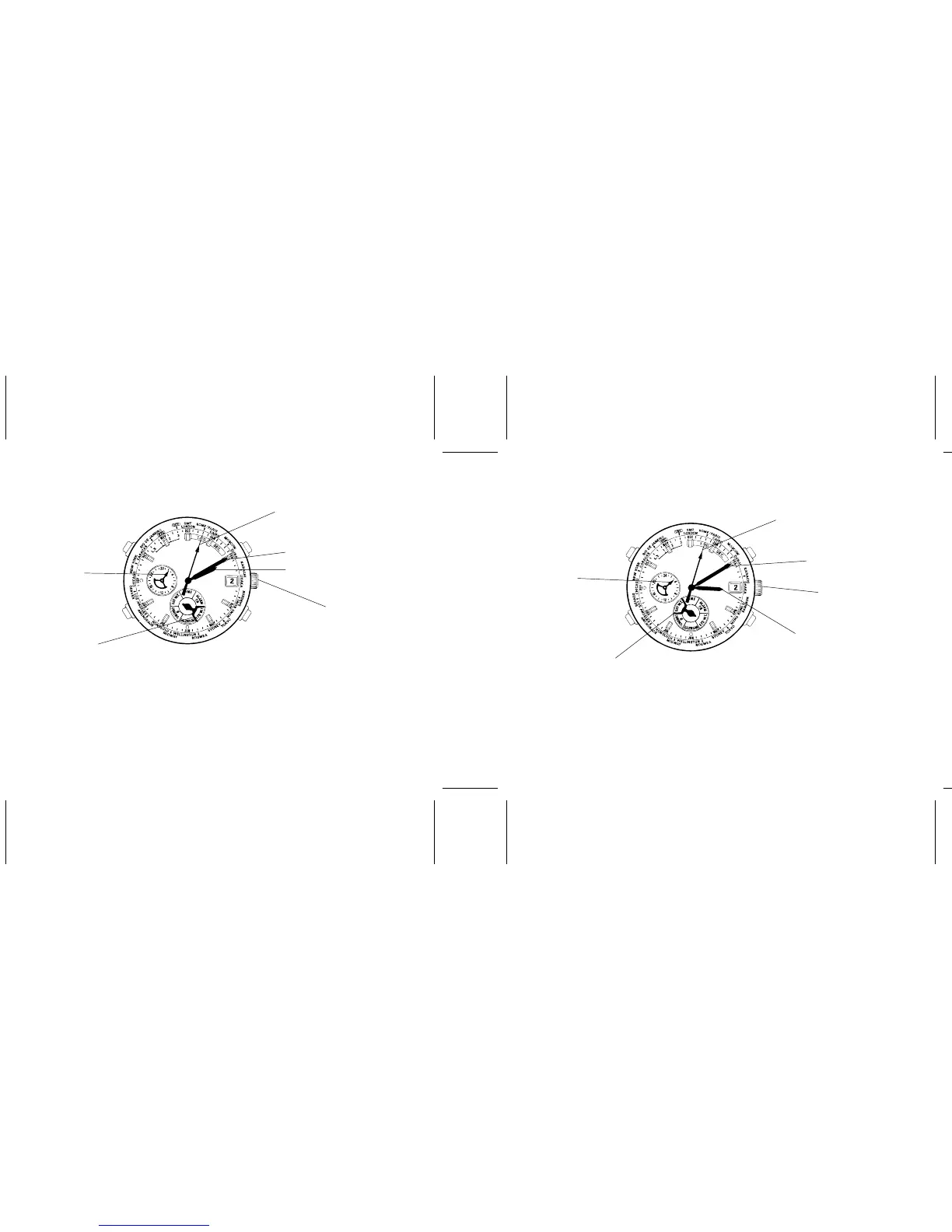
How to show the standard time of a city
Ex.) 2:10 AM, 2nd Paris
Second hand
(City: Paris)
1. Turn the crown to set the mode indicator to “STD W.T.”.
2. Press “C” repeatedly to set the second hand to the desired city on the bezel/dial. The
hour, minute and 24-hour hands move to indicate the standard time of the city you
have selected.
* The second hand moves quickly if “C” is kept pressed.
* The date changes correspondingly with the time displayed.
A
B
C
D
Minute hand
Mode indicator
Hour hand
(
Crown
24-hour hand
How to show the daylight saving time of a city
Ex.) 3:10 AM, 2nd Paris
Second hand
(City: Paris)
1. Turn the crown to set the mode indicator to “DST W.T.”.
2. Press “C” repeatedly to set the second hand to the desired city on the bezel/dial. The
hour, minute and 24-hour hands move to indicate the daylight saving time of the city
you have selected.
* The second hand moves quickly if “C” is kept pressed.
* The date changes correspondingly with the time displayed.
A
B
C
D
Mode indicator
Minute hand
Crown
(
Hour hand
24-hour hand
Normal
position
)
Normal
position
)


 To Next Page