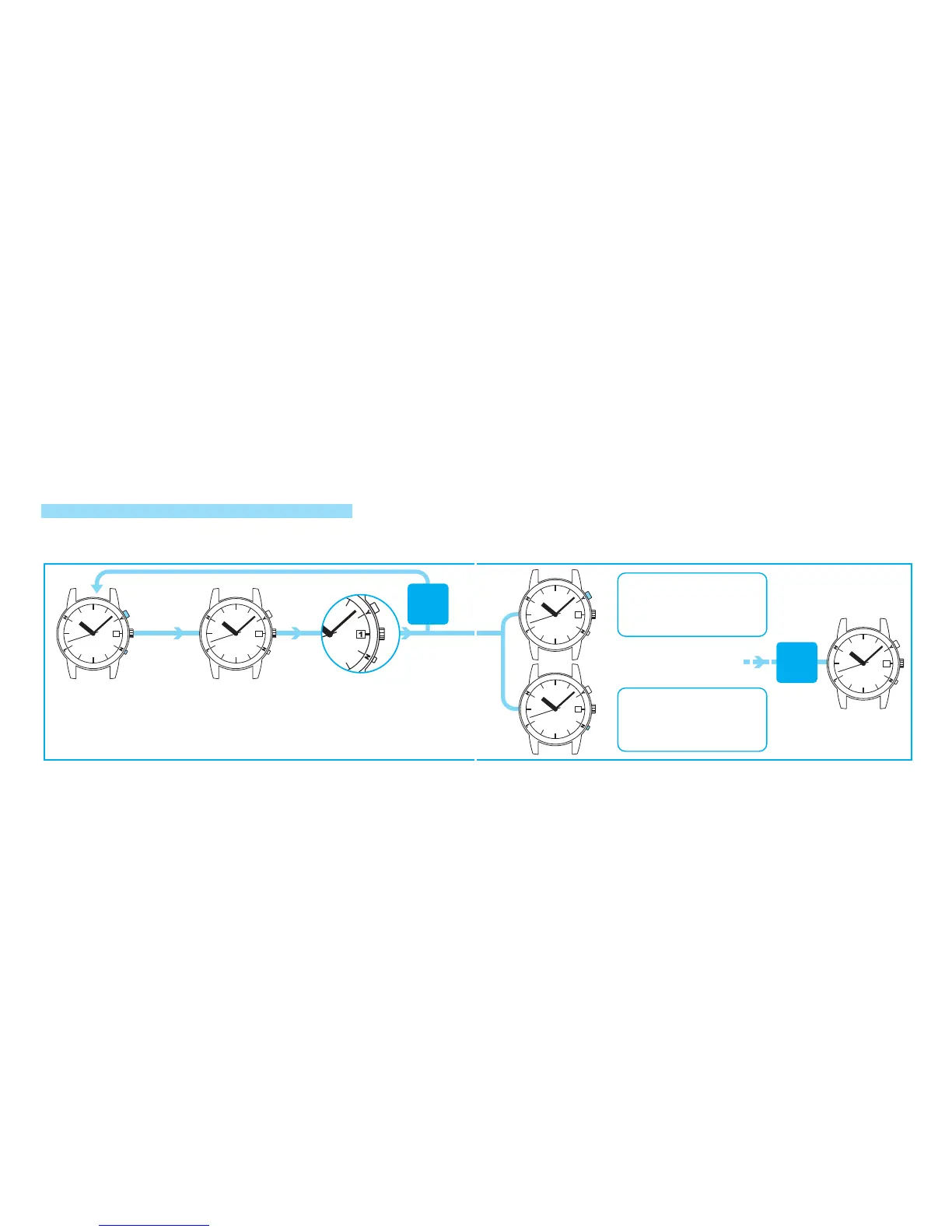
*It is recommended to stop the date at “30”or “31” before setting it to ”1” in order to check the alignment of
the date numerals in the calendar window. After stopping the date at “30” or “31,” advance the date to ”1”
by pressing Button B.
○
A
○
B
*Refer to “HOW
TO USE
BUTTON B”
on page 8.
P r e s s a n d h o l d
Button A and Button
B simultaneously for
t h r e e s e c o n d s o r
longer.
Th e h our , m in ute ,
an d s ec on d h an ds
s t o p . T h e d a t e
advances rapidly to
s h o w i t s c u r r e n t
preliminary position.
If “ 1” is sh own in the
ca le nd ar w in do w, t he
preliminary position of
the calendar is correct.
I f “ 1 ” i s n o t s h o w n ,
reset the calendar to the
preliminary position.
If the watch
is left
untouched for
10 seconds
The watch resumes its normal movement if it is left untouched for 10 seconds.
Proceed to
the next
operation
within
10 seconds.
PRELIMINARY POSITION CHECKING AND SETTING FOR THE CALENDAR
If the date is incorrect after the built-in IC is reset or the watch succeeds to receive a proper radio
signal, the calendar may be out of the preliminary position.
○
A
○
B
After
10 seconds
T h e w a t c h
r e s u m e s i t s
normal movement
a n d the c o r r e c t
date is displayed.
E a c h p r e s s i n g o f B u t t o n A
advances the date by one day.
If Button A is kept pressed for one
to two seconds, the date advances
rapidly. The date keeps advancing
if Bu tt on A is relea sed. Pres s
Button A again to stop.
Press Button A or Button B
t o s e t t h e d a t e t o t h e
preliminary position “1.”
Each pressing of Button B slightly
advances the date. It should be
used for fine adjustment of the
position of the date numerals.
If Button B is pressed for one to
two seconds, the date advances
rapidly. Release Button B to stop.
* I f B u t t o n A i s k e p t
pressed for one to two
s e c o n d s , t h e d a t e
advances rapidly until
31 days have advanced.



 To Next Page