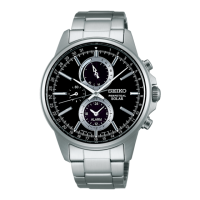

 To Next Page
R
Rachel OliverAug 13, 2025
Why does my Seiko Cal. V195 Watch stop working?
- Rrebecca22Aug 13, 2025
Your Seiko Watch may have stopped because the energy has been depleted. To resolve this, recharge the watch sufficiently by exposing it to light.

Why does my Seiko Cal. V195 Watch stop working?
Your Seiko Watch may have stopped because the energy has been depleted. To resolve this, recharge the watch sufficiently by exposing it to light.
What to do if the date on my Seiko Watch changes during the day?
If the date on your Seiko Watch changes during the day, it might be because the time is set 12 hours ahead of or behind the correct time. Reset the time for the main dial and alarm/world time sub dial to fix this.
Why does my Seiko Cal. V195 Watch gain or lose time?
Your Seiko Watch may gain or lose time if it has been exposed to extreme temperatures. Return the watch to a normal temperature so that it works accurately as usual, and then reset the time. Also, check if the watch has been left close to an object with a strong magnetic field and move it away from the magnetic source. If you have dropped the watch, hit it against a hard surface, or exposed it to strong vibrations, reset the time.
How to fix a Seiko Cal. V195 Watch when the small second hand moves at two-second intervals?
If the small second hand on your Seiko Watch moves at two-second intervals, it indicates that the energy is running short. Recharge the watch sufficiently by exposing it to light.
What to do if the alarm on my Seiko Cal. V195 doesn't sound at the set time?
If the alarm on your Seiko Watch does not sound at the set time, the alarm/world time sub dial time may have been set to another time zone than main dial time by using the world time function. Use the world time function to select the same time zone as the current time in the main dial.
What to do if my Seiko Cal. V195 doesn't resume one-second interval movement after charging?
If your Seiko Watch does not resume one-second interval movement after being charged, it may be because the light the watch has been exposed to was too weak. Recharge the watch sufficiently by exposing it to light. Also, the built-in IC may have fallen into an unstable condition, so reset the watch by following the instructions in IMPROPER FUNCTION.
How to fix Seiko Cal. V195 hands that don't return to zero when resetting the stopwatch?
If the STOPWATCH hands on your Seiko Watch do not return to the 0 position when the stopwatch is reset, it may be because the stopwatch hand positions have moved out of correct alignments due to external sources, or because the internal IC had been reset. Adjust the STOPWATCH hands to the 0 position by following the instructions in TIME SETTING AND HAND POSITION ADJUSTMENT.
Why is the alarm/world time sub dial time on my Seiko Watch not the same as the main dial time?
If the alarm/world time sub dial time is not set at exactly the same time as the main dial time, even when another time zone is not selected using the World Time function, the world time preliminary position adjustment may not have been performed. Reset the time correctly, referring to TIME SETTING AND HAND POSITION ADJUSTMENT.
Steps to choose and display time for different cities/time zones.
 Operating Environment
| operational temperature range | –10 °C to 60 °C |
|---|---|
| loss/gain (monthly rate) | ±15 seconds at 5 °C to 35 °C |
| continuous operating time from full charge | Approximately 6 months |
 Power
Power| power supply | Manganese titanium-lithium rechargeable battery |
|---|---|
| energy depletion forewarning function | Yes |
| overcharging prevention function | Yes |
Timekeeping| frequency of crystal oscillator | 32, 768 Hz |
|---|---|
| driving system | Step motor 4 pieces |
| IC (Integrated Circuit) | C-MOS-IC, 1 piece |