23
English
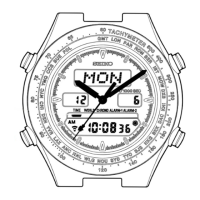
*8 Remarks on stopwatch function:
• After 100 hours of counting, the stopwatch will automatically be reset to “00:00'00"000”.
• Even while the stopwatch is counting, the display can be changed from STOPWATCH
to another by pressing Button A.
*The mode indicator for the STOPWATCH mode flashes to indicate that the stopwatch
is counting. After the stopwatch is used, however, be sure to stop it by pressing
Button C as this will help to preserve the battery life.
*9 • The digits advance quickly if Button D is kept pressed.
• When the time in the TIME/CALENDAR mode is set in the 24-hour display, the alarm
time will also be shown in the 24-hour display.
• When setting the hours in the 12-hour display, check that AM/PM is properly set.
*10 If the watch is left untouched in the ALARM SETTING display with an item flashing,
it will automatically return to the ALARM mode in 2 to 3 minutes.


 To Next Page