6
English
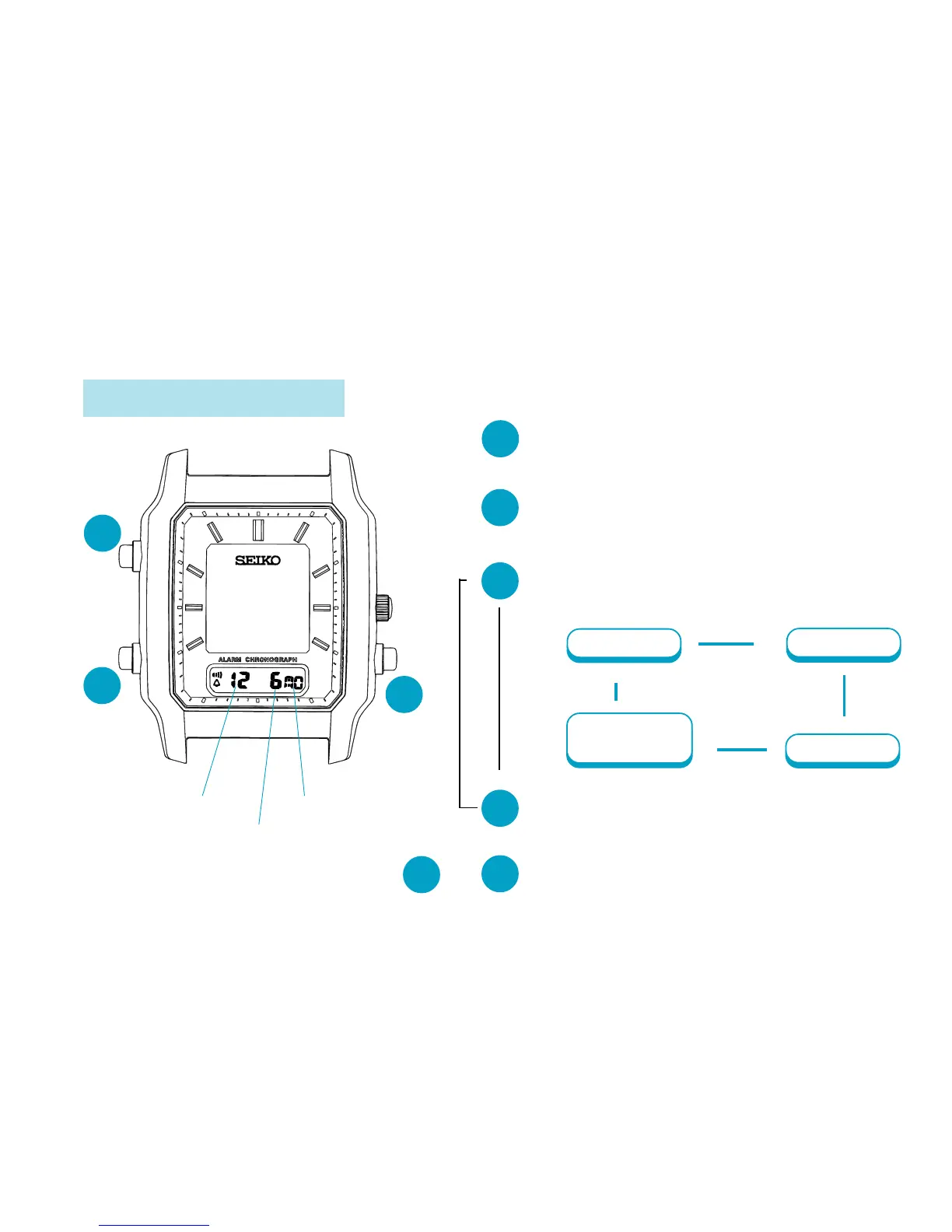
TIME/CALENDAR SETTING
CALENDAR SETTING
B
Press and hold for 2 to 3 seconds to
show CALENDAR SETTING display.
▼
B
Press repeatedly to select the digits
(flashing) to be adjusted.
▼
C
▼
▼
B
Press to return to CALENDAR mode.
Press to set the flashing digits.
▼
A
Press to show CALENDAR mode.
A
or
Month
Day
▲
CALENDAR
mode
Date
▲
▲
▲
✩
Press for 2 to
3 seconds.
B
A
C
Month
Date
Day



 To Next Page