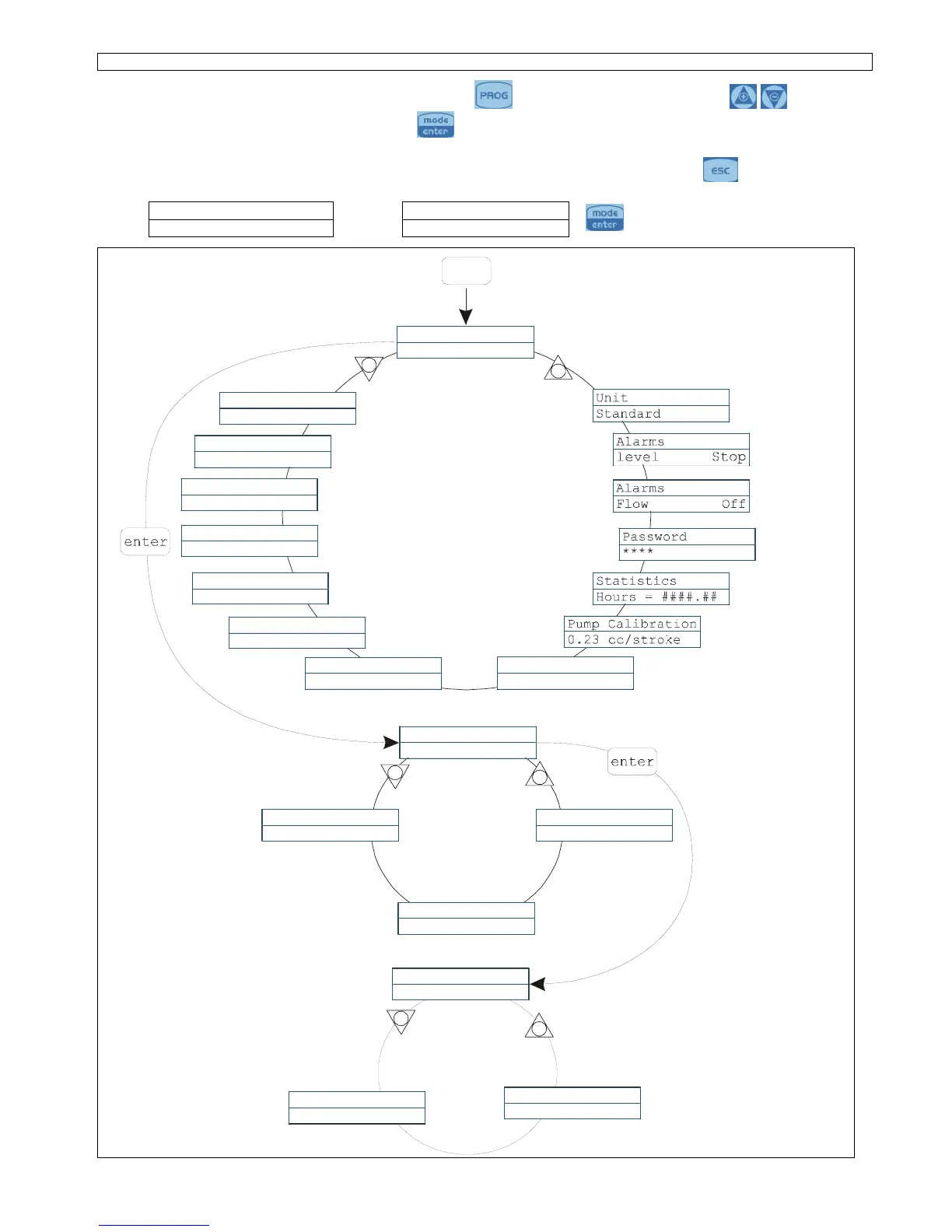
Programmiermenü Tekna TPR
You can access the programming menu by pressing the key for over three seconds. The keys can
be used to run through the menu items, with the
key being used to access changes.
The pump is programmed in constant mode in the factory. The pump automatically returns to the operating mode
after 1 minute of no activity. Any data entered in these circumstances will not be saved. The
key can be used
to exit the various programming levels. Upon exiting programming, the display will show:
Exit Exit
No Save
∇ ∆
Save
to confirm the selection
+
-
PROG
Temperature Man.
25 °C
Probe Calib.
On
Configuration
Pump Functions
Max flow rate
100%
Alarm Relay
N.Open
Language
English
O.F.Alarm
0m
Resolution
0.01
Alarm Band
2.00 pH
Prop. Band
0.50 pH
Setpoint Type
Acid
Setpoint
7.00 pH
Prog
Configuration
+
+
-
-
Pump
Functions
pH Measure
Pump
Functions
Redox Measure
Pump
Functions
Manual
Paragraph 1
Paragraph 5
Paragraph 4
Paragraph 6
Paragraph 7
Paragraph



 To Next Page