LCD Display / Basic Operation
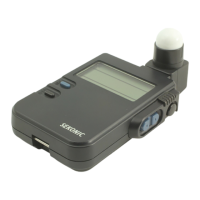
Sekonic L-358
Full Step:
1/2 Step: 1/3 Step:
ON
OFF
ON
ON
OFF
OFF
EV Readout (DIP Switch 1)
Set DIP Switch 1 (EV) to “ON”. Select Ambient Mode. Hold
Mode key down and turn JOG WHEEL until “EV” is displayed.
Multi Flash Mode (DIP Switch 2)
Set DIP Switch 2 (MULTI) to “ON”. Hold Mode key down and
turn JOG WHEEL to select Cord, Cordless or Radio Triggering
Mode with “MLT” shown on display. Press Measure button
(flash will fire) until f/stop needed is achieved.
Full, 1/2 or 1/3 step display of Shutter Speed and Apertures
(DIP Switches 3 & 4) Set DIP Switches as shown below.
Measuring
Modes ISO Display
Analyzed %
of Flash
Indicator
Exposure
Compensation
Memory/Multi
Flash Indicator
Battery
Indicator
Shutter
Priority
Indicator,
Shutter
Speed &
f.p.s Display
Analog Scale
Digital Aperture
Value, Aperture
Priority, EV
Brightness
Difference,
Average Function,
EV Display
Radio Trigger Mode
Quick Guide
LOCK LEVER
LUMISPHERE
RETRACTING RING
MEMORY
BOOSTER
OUTLET
ON/OFF
ISO 1 / ISO 2
MODE KEY
Press while turning JOG WHEEL for:
DAYLIGHT / AMBIENT MODE
AUTO RESET CORDLESS FLASH MODE
FLASH WITH CORD
FLASH RADIO TRIGGERING MODE
JOG WHEEL
FLASH CORD
SOCKET
AVERAGE /
BRIGHTNESS
DIFFERENCE
MEASUREMENT
BUTTON
All DIP Switches are located in battery compartment
Sekonic L-358 Quick Guide.p65 4/23/01, 11:28 AM1

 Need help?
 General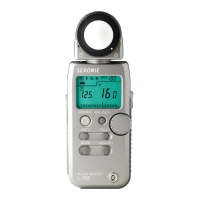




 To Next Page