TEC Series v 3.2X
Page 21
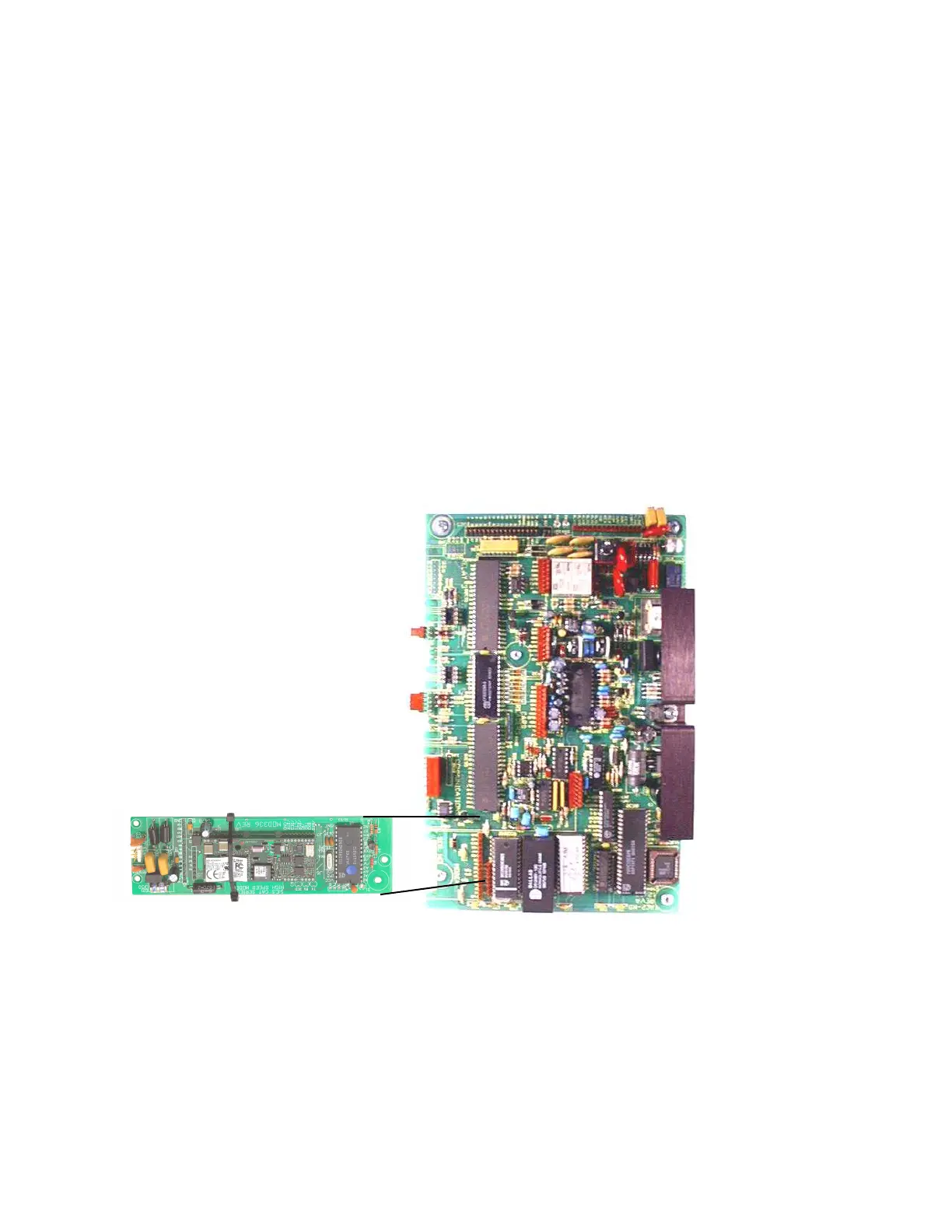
If the 56.6K baud optional modem adapter (OPTKMODEM56K) is installed on this TEC unit.
To service a modem on the TEC , toggle the power switch off (or remove the power
connector) on the TEC. Next, plug in the modem making sure that both connectors are seated
correctly and the nylon standoffs are connected to the main PC board. There is an additional standoff
in the lower right corner of the PC board that also has to be mounted. Connect the phone line
connector cable at the left edge of the board to Terminals TBS-2 and TBS-3 on the terminal barrier
strip to the left of the PC board. This is where the existing phone line to the TEC is also connected.
Then, toggle the power switch on (or reconnect the power connector). The modem operates at 1200
through 56.600 baud. The communications protocols for the modem are: 57000 baud, 8 bits, 1 stop
bit, No parity (8,N,1).
When the 56.6K baud modem is on, it kills power to the card reader module, since cards can
not be used when the TEC is in programming mode.
CURRENT LOOP continued
A recommended cable is Belden # 8770. The shield connects to the ground lug on the terminal barrier
strip inside the TEC housing (see Pg.7).
Whenever a signal is transmitted from the TEC to the printer the lower TX (transmit) LED will
blink briefly. The transmit and receive LED's should help in connecting and troubleshooting serial port
connections. For use as a terminal, the transmit (XMIT) and receive (RCV) loops must be connected
to the appropriate current loop converter. After the terminal is connected and powered on, press the
escape key <ESC> once. This prompt will appear on the CRT screen:
PASSWORD
You have 10 seconds to begin entering the password. If you wait more than 10 seconds
before entering the password the TEC will revert back to normal operation and you will have to re-
enter the "Esc" key again. All TEC systems leave SES with a factory password of 777777. As the
password is entered, the screen will replace each character with an “*” to keep the password
confidential. After the password is entered, the main menu will be displayed.
High Speed MODEM
MODEM
(OPTIONAL)


 To Next Page
 Loading...