TEC Series v 3.2X
Page 23
The TEC modem normally disconnects from the phone line when it receives an escape signal
after programming has been started. For multiple TEC installations, that share phone lines (using
MUI's) it is necessary to temporarily disable the TEC. This is because modems can not currently
share the same phone line (Their signals would interfere with
each other). This is handled automatically in Selcom 7 or
newer software. For users of other terminal programs, to
temporarily keep a TEC that has an MUI from responding,
instead of exiting programming with an "Esc" (escape) key,
use "Ctrl T." This means to press and hold the Control (Ctrl)
key followed by the "T" key. (The "T" key may be lower case,
it is not necessary to press the shift key). In the example at
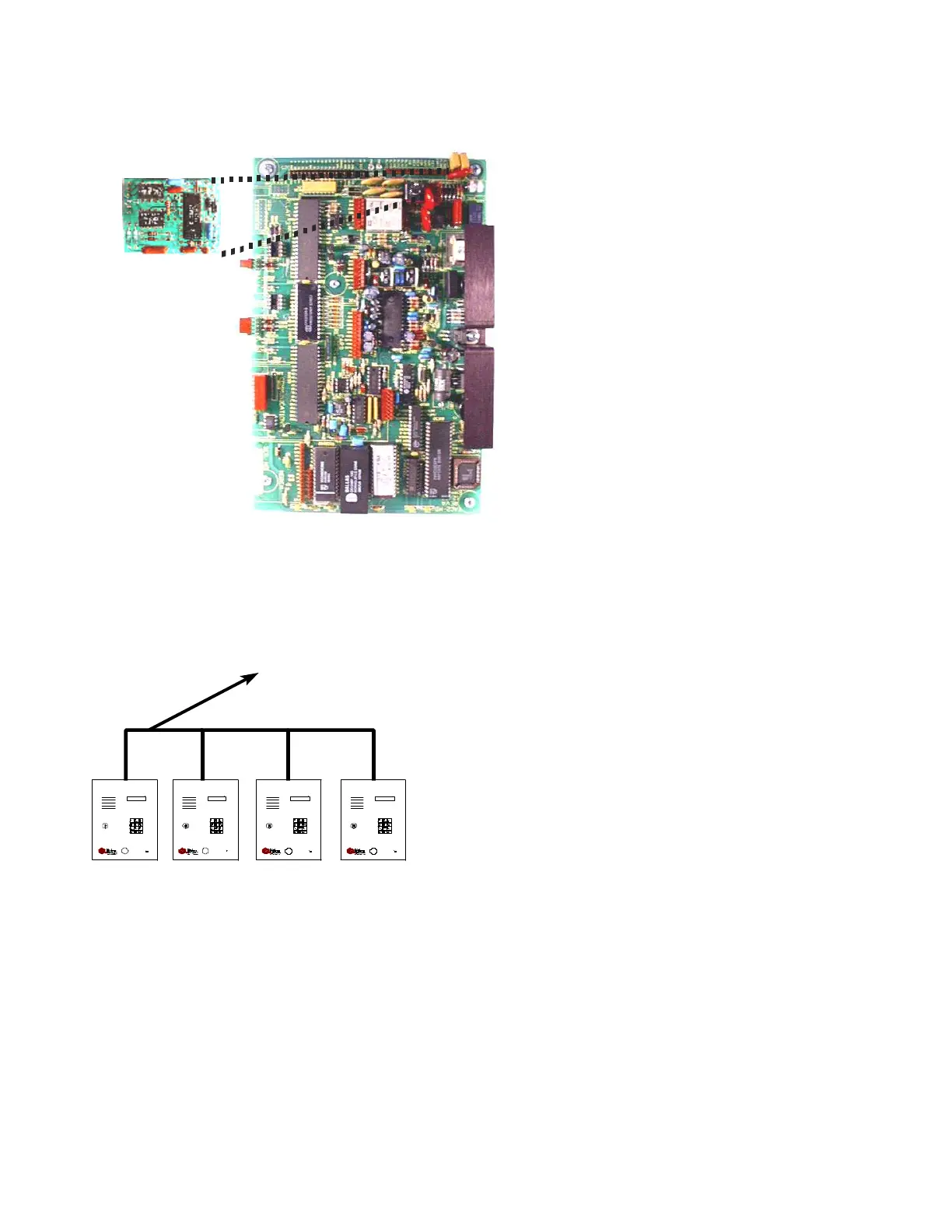
left, 4 TEC's are sharing a single phone line. The one at the
extreme left has had it's ring count set to 2. The next one is
set to ring count 4. The 3rd one is set to ring count 6, and the
last one is set to ring count 8. This is the number of rings the
TEC will listen to before it answers. To program the 1st TEC,
call it from your computer (or terminal) equipped with a modem. It will answer after the 2nd ring. After
programming is completed instead of pressing the "Esc" (escape) key, press "Ctrl T." This will busy
out the 1st TEC for up to 2 minutes. Now call the same number again. After 4 rings the 2nd TEC will
answer. After programming, exit with "Ctrl T." Calling back a 3rd time will busy out the first 2 TECs
and cause the 3rd TEC to answer after 6 rings. After programming, exit with "Ctrl T." Calling back the
4th time will busy out the 1st 3 TECs and the 4th TEC will answer after 8 rings. Exit programming with
the "Ctrl T" key. After 2 minutes without the phone line in use, all TECs will be ready to be used for
normal operation. Users of Selcom 7 or newer can automate this procedure. Check the Selcom 7
instructions.
The above paragraph on the MUI shows that up to 8 TECs may be connected to a phone line.
If TECs are equipped with modems it is recommended that a maximum of 4 TECs be connected to the
same phone line. Noise "glitches" on the phone line might be erroneously interpreted as a ring signal
by the TEC. Selcom 7 or newer will warn you if the wrong unit connects.
TWO-MINUTE LOCKOUT
IN ST R UC T IO N S
PRE SS # T O FI ND N AME AND CO DE
PRE SS A N D HOLD # FO R FA ST FORWA RD
PRE SS A N D HOLD * FOR FA ST REV ERSE
E NTER CO DE O N KEY PAD TO PLAC E CALL
P RES S # T O ST A RT OVER
TE C II WIT H MU I
A N D M OD E M
IN S T R U CT IO NS
PRE SS # TO FIND N AME AND CO DE
PRE SS A N D HOL D # FO R FA ST F ORW A RD
PRE SS A N D HOL D * FOR FA ST REVE RSE
ENT ER C ODE ON K EYP AD T O PLACE CALL
PRE SS # T O ST ART OVER
TE C II WIT H MU I
A N D M OD E M
IN S T R U CT IO NS
PRE SS # T O FI ND N AME AND CO DE
PRE SS A N D HOLD # FO R FA ST FORWA RD
PRE SS A N D HOLD * FOR FA ST REV ERSE
ENT ER C O DE O N K EYP AD T O PL AC E C ALL
P RES S # TO STA RT OVER
TE C II WITH MU I
A N D M OD E M
IN S T R UC T IO NS
P RES S # TO FI ND NAM E A ND CO DE
P RES S A ND HOL D # F O R F A ST FORWARD
P RES S A ND HOL D * F OR F A ST REVE RSE
E NTER C O DE ON KEYP AD T O PL ACE CALL
P RES S # T O ST ART OVER
TE C II W ITH M U I
A N D M ODE M
TO P HO NE
EQU IP M E N T
MUI
The Multiple Unit Interface (OPTKMUI) is an optional device that allows up to 8
TEC's to share a phone line. While it is preferred that each TEC have its' own
phone line, it is sometimes necessary to share an existing line for cost
effectiveness. Whenever a TEC goes off hook, all other
TEC units sharing that same phone line will display
a "Phone Line Busy Please Wait" message on the
LCD display. The MUI also is required for
installations that use modems but want to share
phone lines with other equipment that also makes
use of modems. Something to consider when
deciding how many phone lines to get for a multiple
unit installation, is the number of residences each
TEC will call. This will help determine the optimum
number of phone lines in balancing cost versus
convenience against anticipated telephone usage.
To install a MUI, power down the TEC, and plug
the module into the header. MUI's may be
attached to their common phone line by running the
phone line pair from TEC to TEC, or from some
common point to all TEC locations. This provides a
lot of installation flexibility.
MUI
(OPTIONAL)


 To Next Page
 Loading...