TEC Series v 3.2X
Page 53
CODES / NAMES
ADD / FIND NAME
To delete a code number, key in the code number then press the "DEL" (delete key) followed by the
"Enter" key.
To delete a part of a code number, such as a phone number, PIN # or card #, go to that field by
pressing the "Enter". When you reach the desired field, key in "0", and then the "Enter" key. This will
delete the data in that field, but not any of the other fields associated with the code number.
IF YOU TYPE ANY CHARACTER, IN THE FIRST POSITION OF A NAME FIELD, IT WILL
DELETE ALL DATA ASSOCIATED WITH THAT CODE NUMBER.
PHONE # =: You will be prompted for the phone number. Enter the numbers normally. For this
field, letters are not possible. Press the ":" key to generate a 3 second pause.
HIDE NAME FEATURE: Place a pause as the first item in the phone number (ex. :5551212). The
name will not display in the directory, but anyone who dials the code number will still be able to
reach the resident. It is not necessary to enter phone numbers in a TECCard but it is allowed for
convenience.
PIN =: You will be prompted to enter a PIN. A PIN is a Personal Identification Number. This will
allow anyone who knows this number to use the PIN entrance by entering a “*” and this PIN code.
Each name may have a PIN code. The PIN code length is from one to six digits, depending on
what you selected from the system parameters menu All PIN codes must be the same length as
what was selected from the system parameters menu. Enter the PIN code, and then the "Enter" to
place the PIN code into memory. If you disable the PIN (PIN length = 0), this choice will not
display.
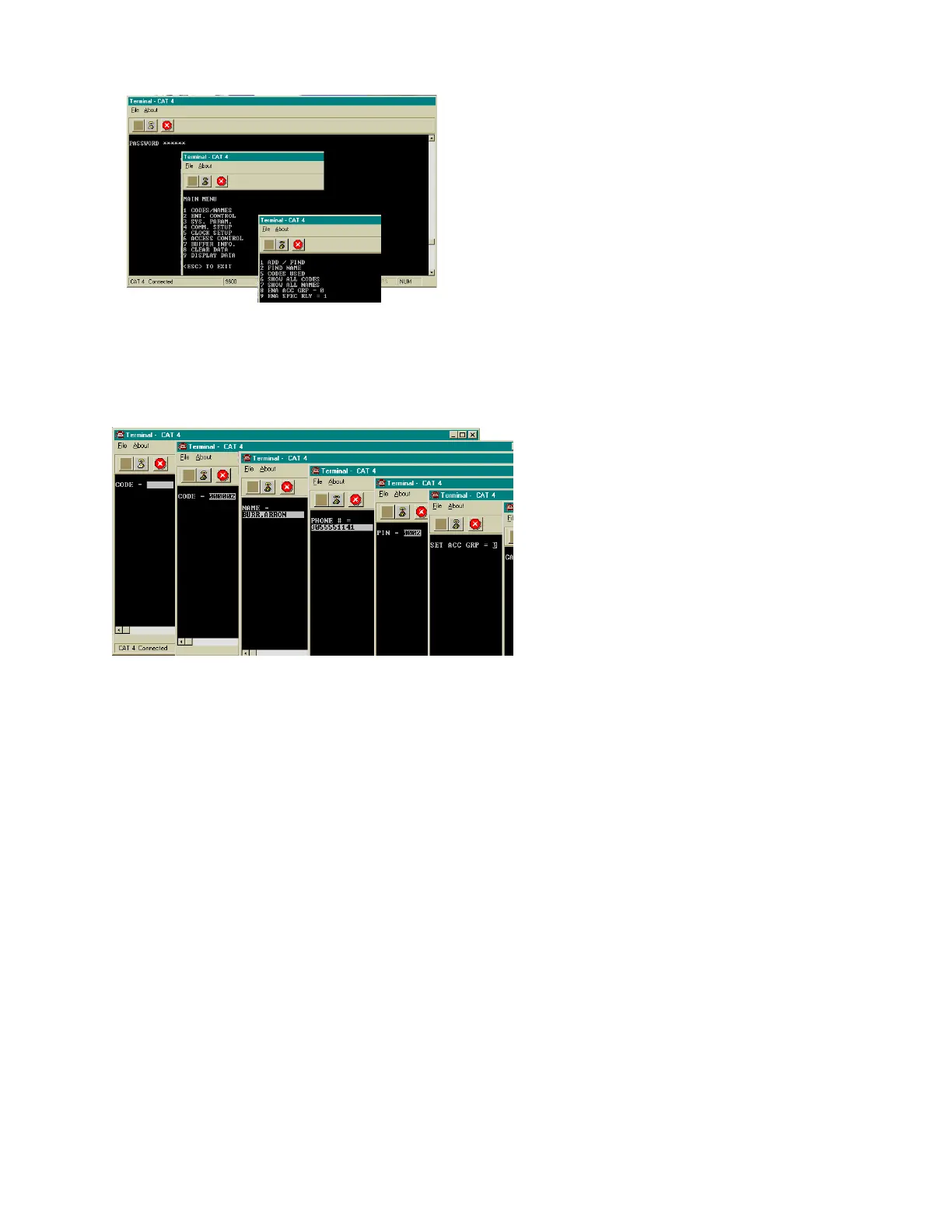
This shows after Pressing "1" on the Codes/
Names menu. You will be prompted for the
code as shown at left:
Pressing "1" (after entering the password) will show the
choice at left.
(CAT Shown. TEC is similar.)
(CAT Shown. TEC is similar.)


 To Next Page
 Loading...