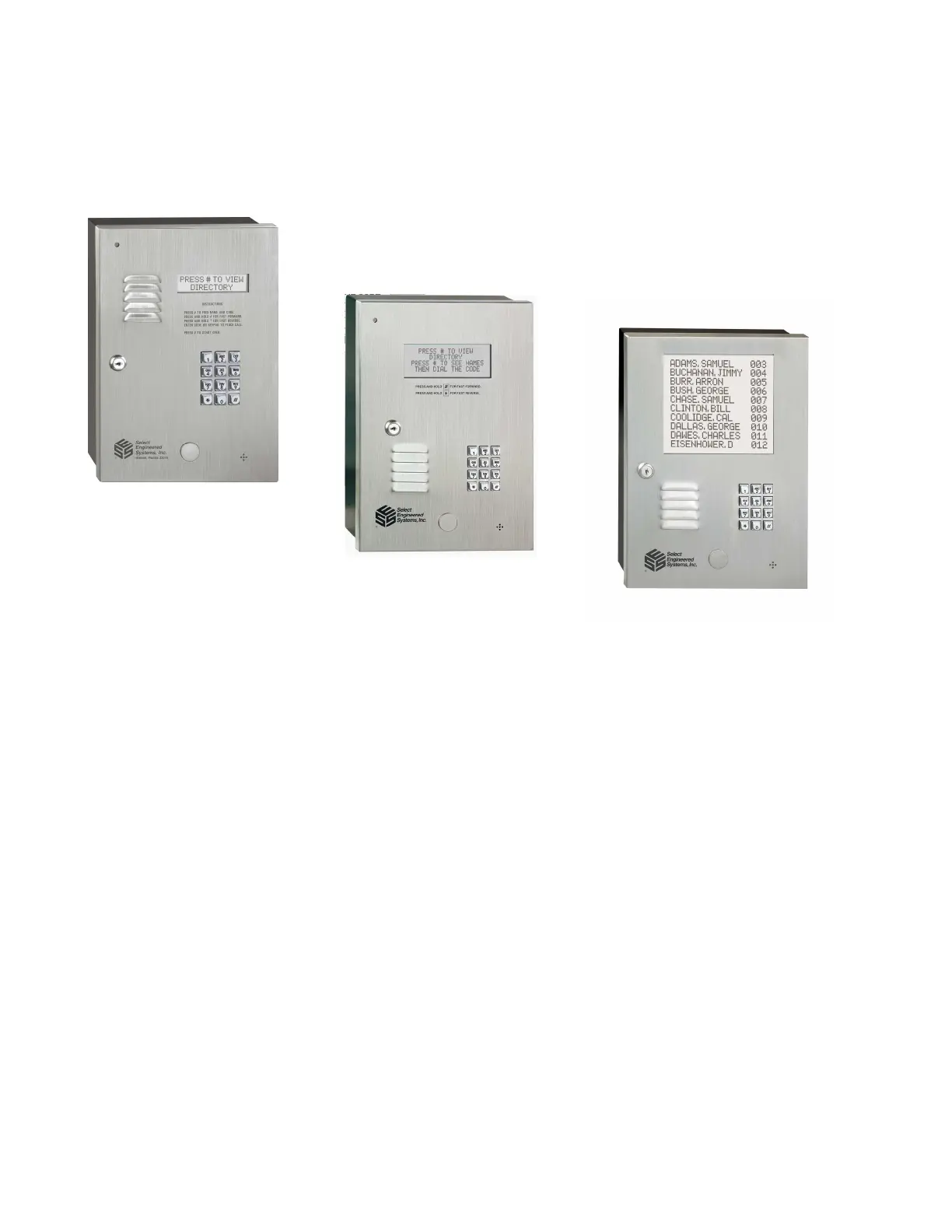
TEC Series v 3.2X
Page 1
The TECHF/50, through TECHF/2000, are automatic call , entry and card reader control
systems.
The TEC units operate and program identically. In this manual, the term "TEC" will be used
interchangeably to refer to any type of unit. The TEC series line includes a 2 line display LCD display
called the TEC2, a 4 line LCD display called the TEC4, and a 10 name LCD display called the TEC10.
Except for the display size or housing, the electronics are identical. This programming manual is valid
for any model TEC system. Where there are differences, a table will show those differences like this:
1 INTRODUCTION to the TEC SERIES
TEC 10
The TEC 2 display message is: T
he TEC 10 display message is:
PRESS # TO VIEW
DIRECTORY
PRESS # TO VIEW
DIRECTORY
PRESS # TO SEE NAMES
ON THE DIRECTORY
THEN DIAL THE CODE
TO THE RIGHT OF NAME
The TEC 4 display message is:
PRESS # TO VIEW
DIRECTORY
PRESS # TO SEE NAMES
THEN DIAL THE CODE
PRESS AND HOLD # FOR
FAST SCROLLING > Z
PRESS AND HOLD * FOR
FAST SCROLLING A <
TEC 2
TEC 4



 To Next Page