TEC Series v 3.2X
Page 64
SELECTING ACCESS LEVELS IN A GROUP
After selecting a group, you will be prompted for levels. These are any combinations from 0 - 7 in any
order. Select "6" from the main menu. Press the “Enter” key.
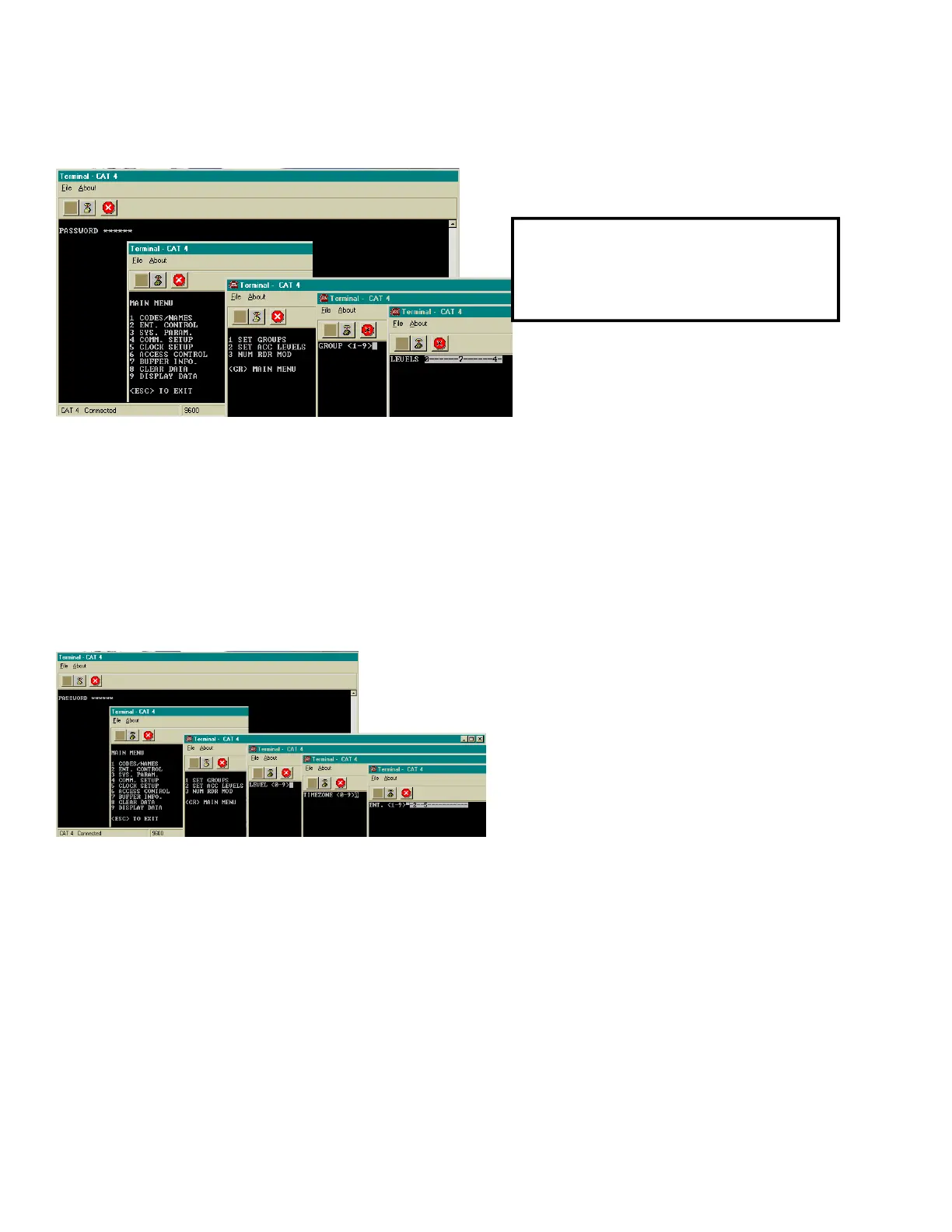
Select "2" from this sub-menu. You will be prompted to select levels from 0 - 7 Key in the new levels
desired and press the “Enter” key. To delete access levels entirely use Clear Access Levels.
SELECTING AN ACCESS GROUP
Select "6" from the main menu. Press the “Enter” key from a terminal. Select "1" from this sub-menu.
You will be prompted to select a group from 1 - 9 as shown below. Press the“Enter” key.
ACCESS LEVELS
Access Levels are used to attach Time
Zones to specific Entrances. Only one Time
Zone is allowed per Access Level. Any
combination of entrances may be selected,
but at least one entrance must be selected,
or the affected Access Level will not function.
From one to four entrances may be assigned
to an Access Level. Different combinations of control may be created. Do this by assigning one
entrance a Time Zone and an Access level, and another entrance the same Time Zone but a different
Access Level. Now these Access Levels can be grouped in different combinations for the Access
Groups.
SELECTING A TIME ZONE
You will be prompted to select a time zone from 0 - 7 as shown above. Select the desired zone
number and press the “Enter” key.
SELECTING A ENTRANCE
You will be prompted to select a door 1 - 4 as shown above. Select the desired door combination and
press the “Enter” key.
Use the table on the next page to help keep track of which Access Levels are required for this
installation. Writing them down in the table provided will help reduce programming entry errors.
SETUP AND PROGRAMMING
NOTE: ON THE NEXT 6 PAGES,
THESE MENUS WILL ONLY APPEAR
IF THE OPTIONAL CLOCK IS
INSTALLED.
(CAT Shown. TEC is similar.)


 To Next Page
 Loading...