12
12.2
13.1
12.1
13
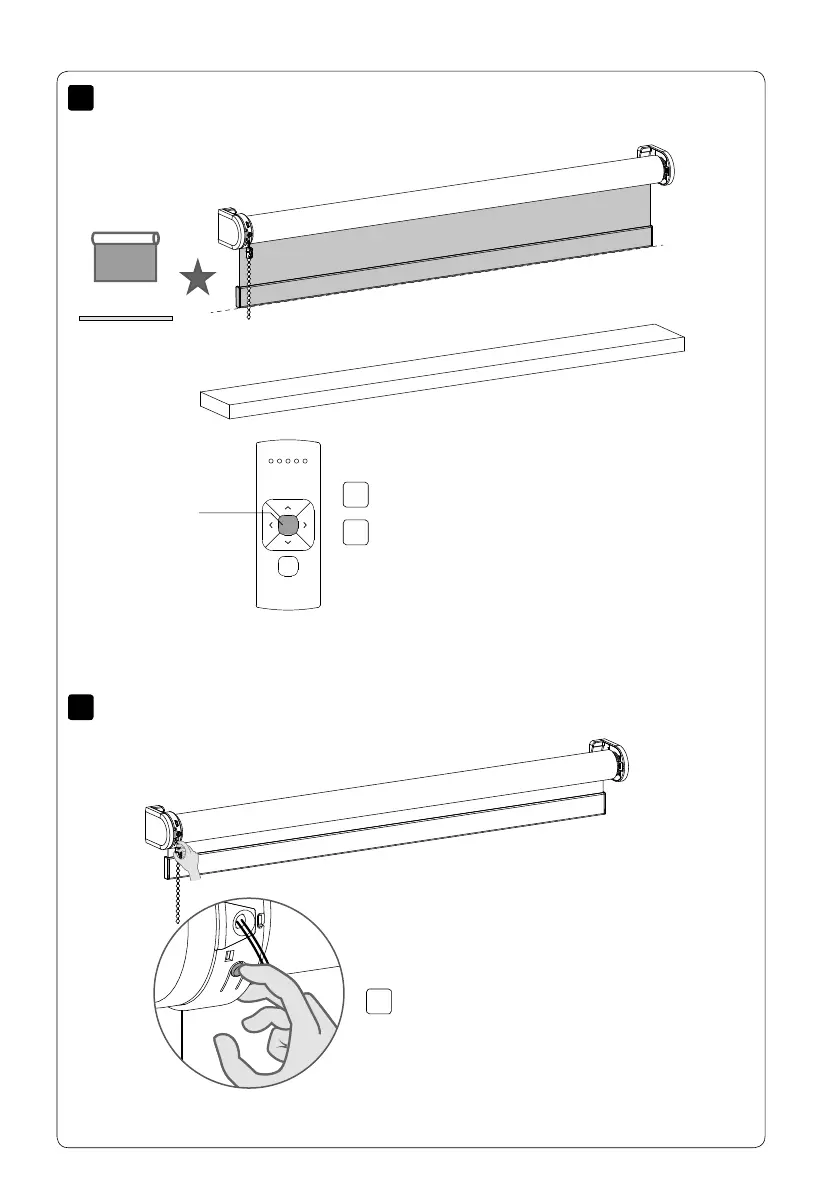
Move the blind to a desired favourite position.
Shortly press the program button to deactivate
program mode. The blind stops stepping and can
be operated.
Centre
Deactivate program mode
Hold the centre button to save this Favourite
position. The blind shortly stops stepping
indicating the favourite position has been
saved.
Set favourite position (optional)
MOTION CM-03/05 LI-ION TUBULAR MOTOR



 To Next Page