2
2. POWER THE BRIDGE
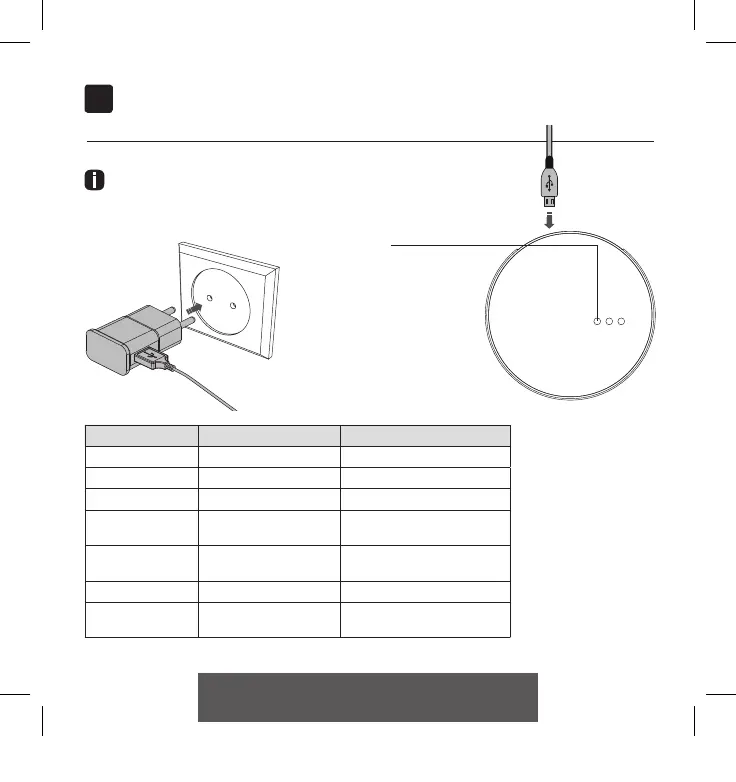
Power the bridge
There is no charger included with this product. Any universal
DC 5V 1A micro-USB charger can be used to power the
MOTION bridge.
MOTION LED indicators
LED Color Status
Right Solid Red Bridge is powered on
Center Blinking purple Bridge connecting mode
Center Blinking red Not connected to Wi-Fi
Center Solid Yellow
Connected to Wi-Fi, not
connected to MOTION cloud
Center Solid Blue
Connected to Wi-Fi
Connected to MOTION cloud
Left Blinking purple Pairing blind with bridge
Left
Center
Blinking green
Solid blue
Bridge firmware update
LED indicators
CM20 Motion Wi-Fi bridge 115x115.indd 7 18-10-18 16:27



 To Next Page