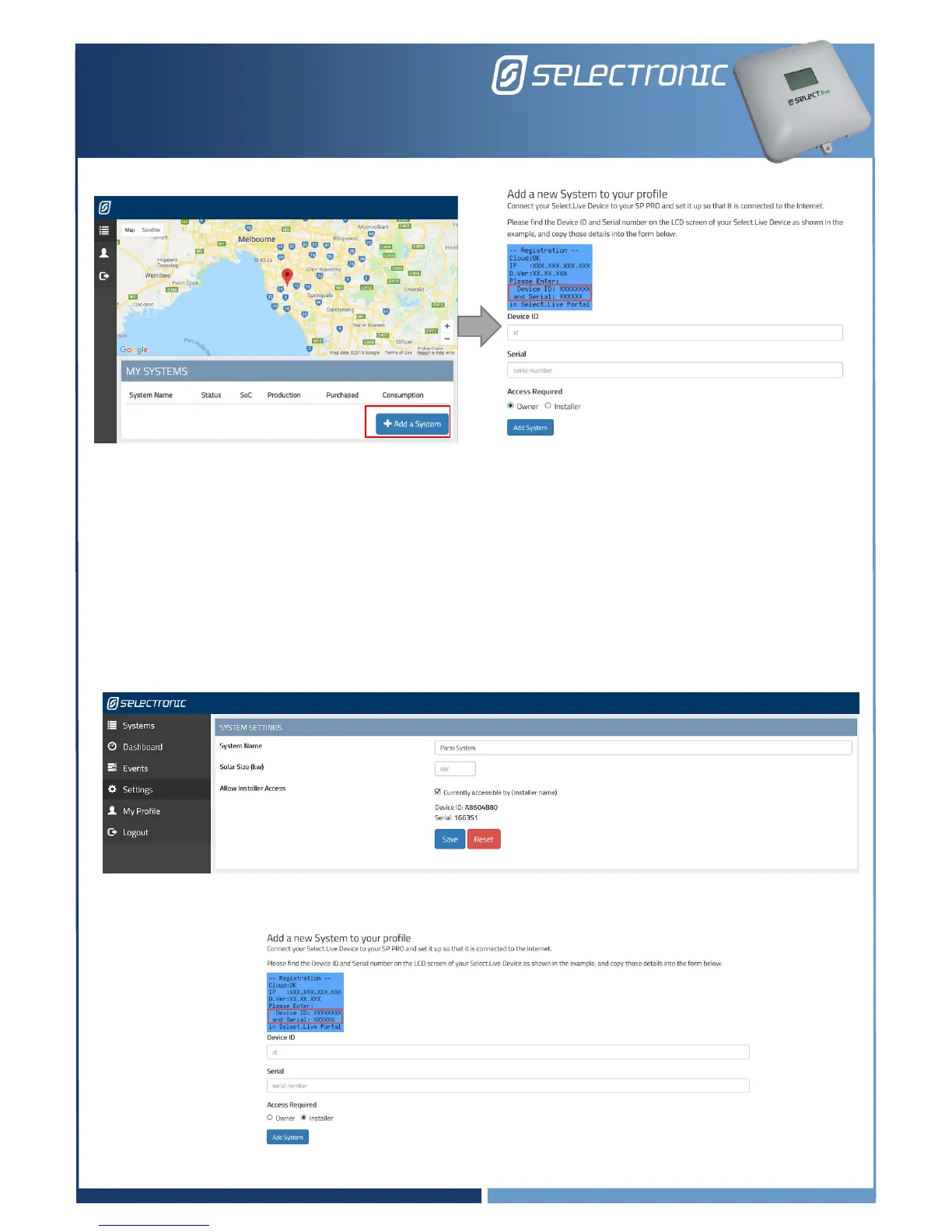
4. Leave “Access required” as User.
5. Congratulations, you have successfully completed the setup for Select.live. Now you will be able to
see your SP PRO system in the Select.live Portal’s Systems page.
Granting Access to your installer
If you wish to allow your installer to also have access to your system then you must grant your installer
access. By default, your installer will not have access to your system.
1. Select the system that you wish to grant installer access.
2. Go to the “Settings” menu and under SYSTEM SETTINGS check the box “Allow installer access”.
Once the installer has added access to their login their name will appear beside this setting.
3. Give your installer the Device ID and Serial.
4. Your installer will “Add a System” under their profile and set “Access Required” to “Installer”.



 To Next Page