30
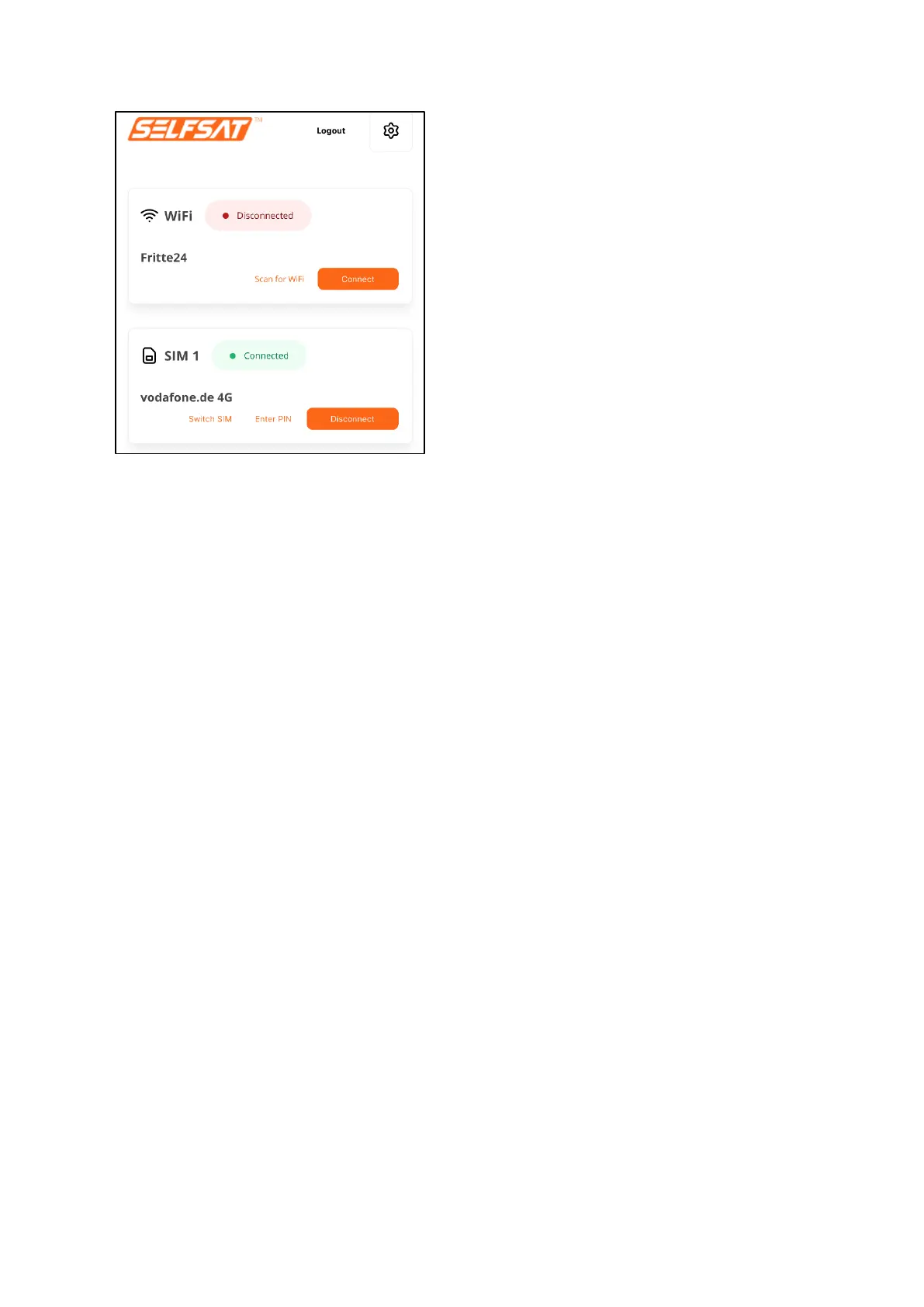
There is now a connection to the internet and all devices and their apps or
programs that you have connected to your router via WiFi or LAN cable can be
used and access the internet like at home or in a hotel.
If you press "Logout" in the upper right area, you will be logged out of your
router's user interface. Your router's connections remain active.
Always disconnect an existing mobile network connection before you want to
connect to a WiFi network or the mobile network with the second SIM card.
To do this, press the "Disconnect" button. The connection status in the "SIM"
field then changes to "Disconnected" (orange) and the connection to the
internet is interrupted. Since the SIM card is still registered in the operator's
mobile network, the network operator ID and the network remain visible in
the "SIM" field.
3.5 Using a second SIM card or a foreign SIM card
Make sure that you have disconnected all existing connections before using
the 2nd SIM card and that this is indicated by the connection status
"Disconnected" (orange) in the "WiFi" field and in the "SIM" field.


 To Next Page