37
In both cases, the router restarts.
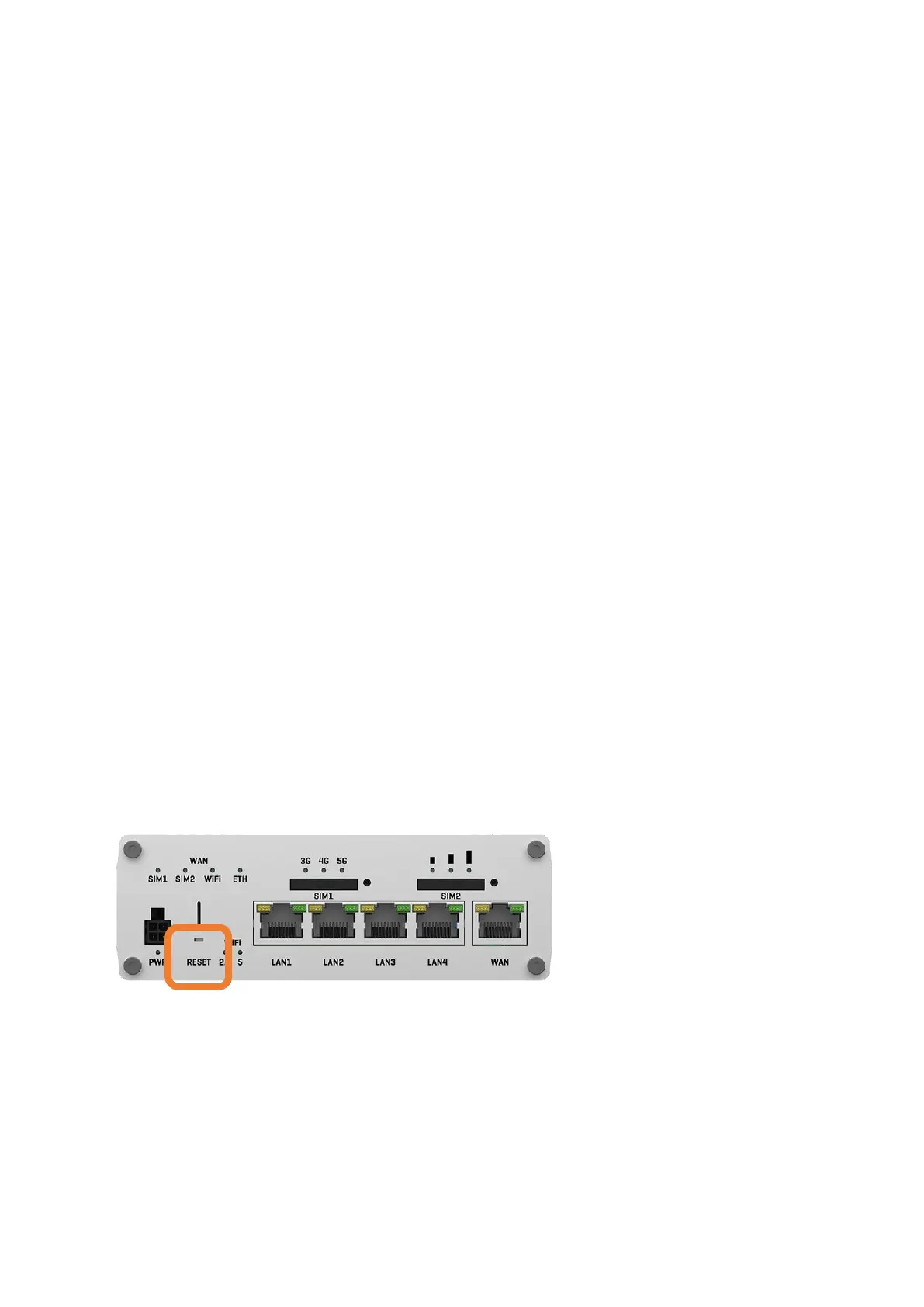
5.2 Resetting the router to factory settings
Should it ever be necessary to reset your router to factory settings (e.g.
because you are selling your motor home or caravan), use the SIM slot needle
(included in delivery) and insert it in the place marked RESET on the underside
of your router and press the button behind it for at least 11 seconds. During
this time, the 3 LEDs for the mobile network signal strength above the SIM2
slot will light up one after the other. The start of the factory reset is indicated
by the 3 LEDs flashing together.
Note that a factory reset will erase all personal data. However, the PIN of the
SIM card(s) remains saved for technical reasons. Therefore remove the SIM
card(s) e. g. when selling your mobile home or caravan! You can also save
invalid PINs for the two SIM cards for security reasons.
To check whether the router has been completely reset, you can try to log in
with your personal passwords after the router has fully restarted. If this is no
longer possible, the process was successful.


 To Next Page