Selmo Electronic
Via Pacinotti, 24 - 35030 Rubano www.selmo.it(PD) Italy- Tel 049.8976761, Fax 049.8976085 -
Selmo Electronic
Via Pacinotti, 24 - 35030 Rubano www.selmo.it
EN
Rev.01 - Aug. 2018Pg. 5
Selmo
Comfort technology division
Operating mode
icons:
4-Comfort;
3-Antifreeze;
2-Boost2h;
1-Stand-By
Keys lock indicator
Clock
Current week day
ECO function indicator
Temperature indicator
Low battery icon
User guide
Press the [On/Stand-by] button on the remote control or on the thermostat to
turn on the device or to switch to "Stand-by" mode
NOTES: - When the device goes into “Stand-by” mode it beeps twice for 0.5s.
- When the device is activated it beeps once for 1s
Turning on the device using the button on the thermostat will directly activate in the
“Comfort” mode
2. Operational modes
Press the [Mode] key on the remote control to select the desired operating mode. An
icon on the display indicates the selected mode. The mode icons are shown in the
following table:
Comfort Mode
This is the typical operating mode for the device. The "Comfort" temperature corresponds
to the desired temperature for the towel radiator.
-Pressthe[Mode] key until the "Comfort" icon is displayed.
- Set the desired temperature using the [+] and [-] keys. It is possible to choose
between the following temperatures: 30°C, 35°C, 40°C, 45°C, 50°C, 55°C, 60°C,
65°C, 70°C.
ECO
Chrono Comfort
Antifreeze Boost
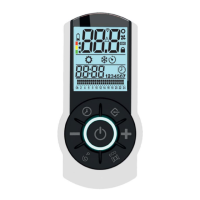
“Galaxy Pro”
Remote control for chronotermostat


 To Next Page
 Loading...