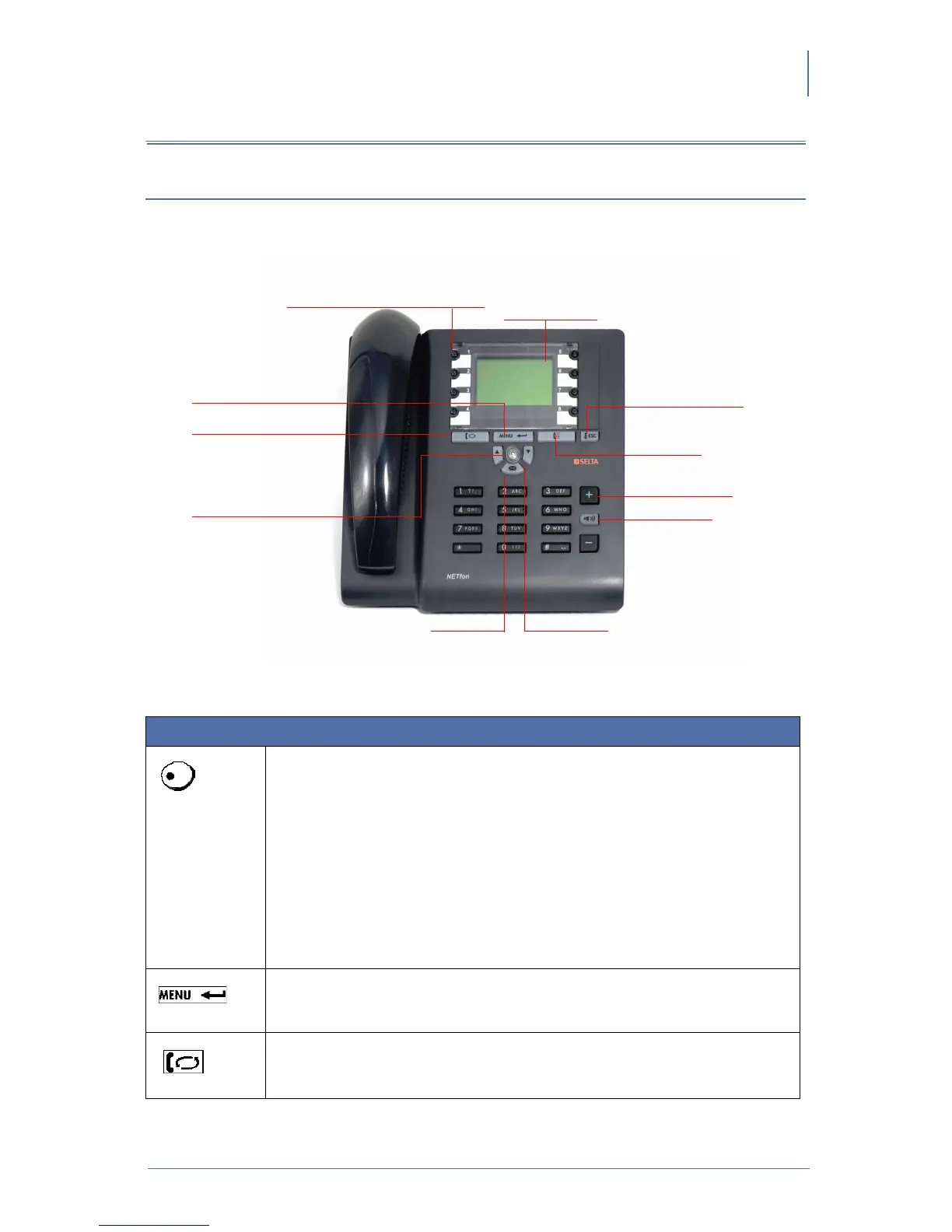
An overview of NETfon 100
NETfon 100 - User Guide 723142002-A0-LM
37
7. An overview of NETfon 100
7.1. Understanding buttons
DESCRIPTION
8 Programmable buttons
(by the system administrator)
Depending on configuration, when pressed, the features for which they are set
up, start: ( i.e.: call forward, call pick up, 3 way conference, call completion,
etc.).
(customization by the user from the local programming menu)
A programmable button already configured for a feature, can be also configured
for the direct trunk selection; such a number will be recalled by pressing the
button for about 1.5 seconds. The name associated to the number, is first
displayed on the screen, so the user can decide to stop the call or continue
pressing it to make the call.
Menu/Enter
Access the telephone configuration;
Confirm the operation.
Hold
Put on hold the call in progress;
Resume the call from hold.
Programmable keys with
red/green/amber lights Graphic display
128x64
Menu/Enter
Hold
Blue light flashing in
and steady in calling
Hang up/ESC
Call list
Hands-free
Voice mail Tasti freccia
Adjustment
volume (+/-)



 To Next Page