7
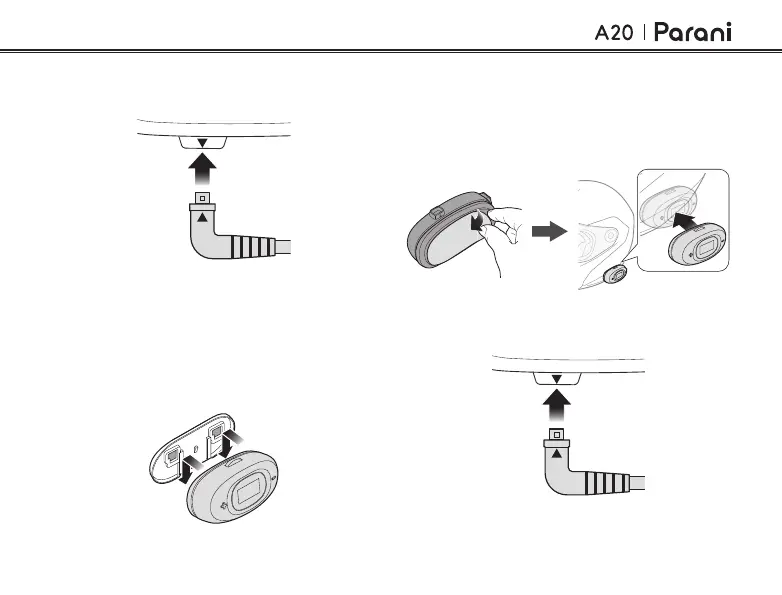
2. Remove the cover of the adhesive sticker
on the back to glue the headset on to the
helmet.
3. Attach the headset on the left side of the
helmet.
4. Insert the speaker and microphone plug into
the headset.
3. Insert the speaker and microphone plug into
the headset.
2.2 Using the Glued Surface
Mounting Adapter
1. Insert the main module into the glued
surface mounting adapter using the two
connecting slots on the back.



 To Next Page