41
SNMP trap receiver’s IP address
SNMP trap community
SNMP trap version
Add/Edit an event keyword
Event keyword
Email notification
SNMP trap notification
Port command
Remove a keyword
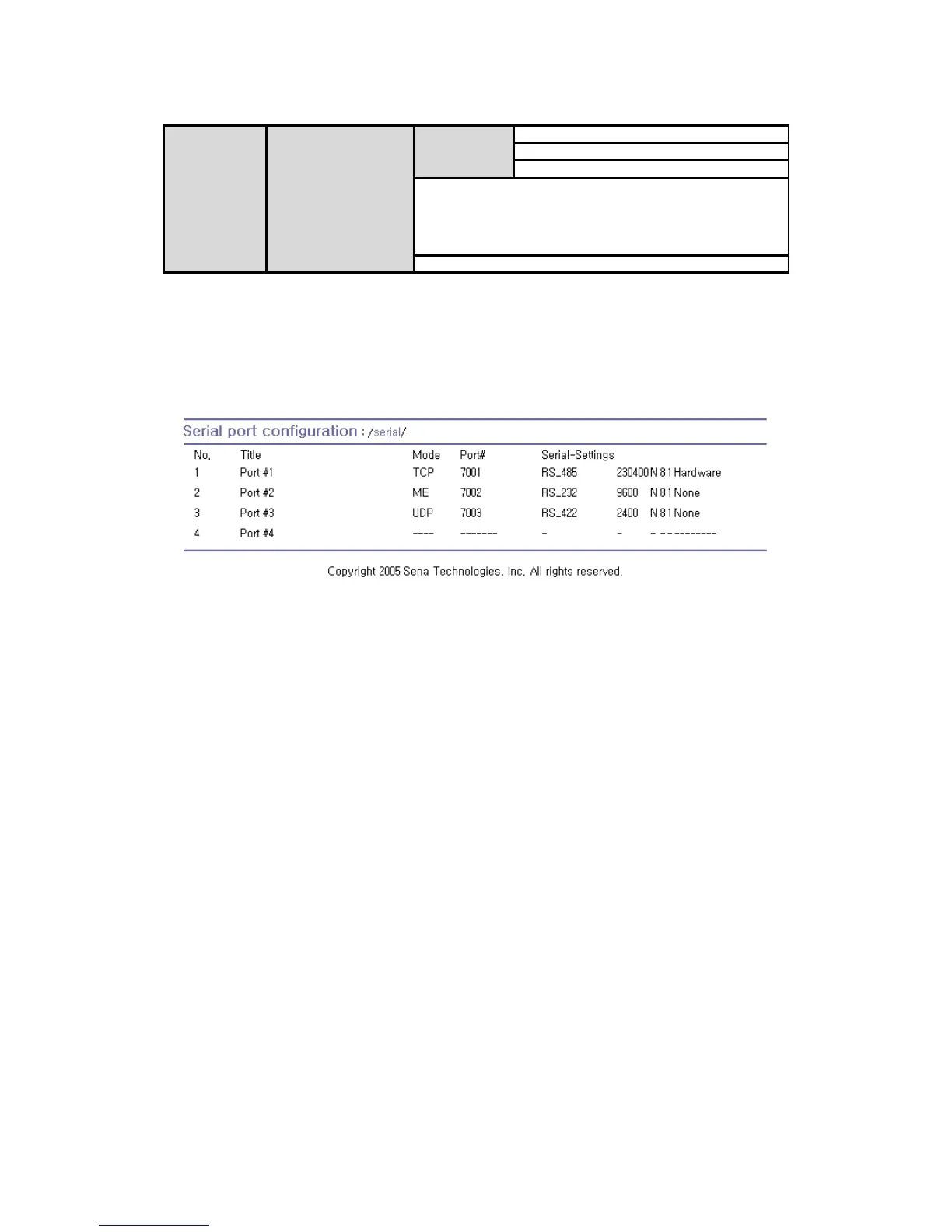
Figure 4-1 shows the web-based serial port configuration screen. This serial port configuration main
screen summarizes port information. In this summary page, user can find which host mode, local port
number and serial port parameters are currently configured.
User can configure port parameters by clicking number or title of corresponding serial port.
Figure 4-1 Serial port configuration main screen
4.2. Serial Port Configuration
Individual Port Configurations of the Pro Series are classified into eight groups:
1. Port enable/disable
2. Port title
3. Host mode
4. Cryptography
5. Serial port parameters
6. Modem configuration
7. Port logging
8. Port event handling
4.2.1. Port Enable/Disable
Each serial port can be enabled or disabled. If a serial port is disabled, users cannot access the serial
port. Figure 4-2 shows the serial port enable/disable screen.



 To Next Page