74
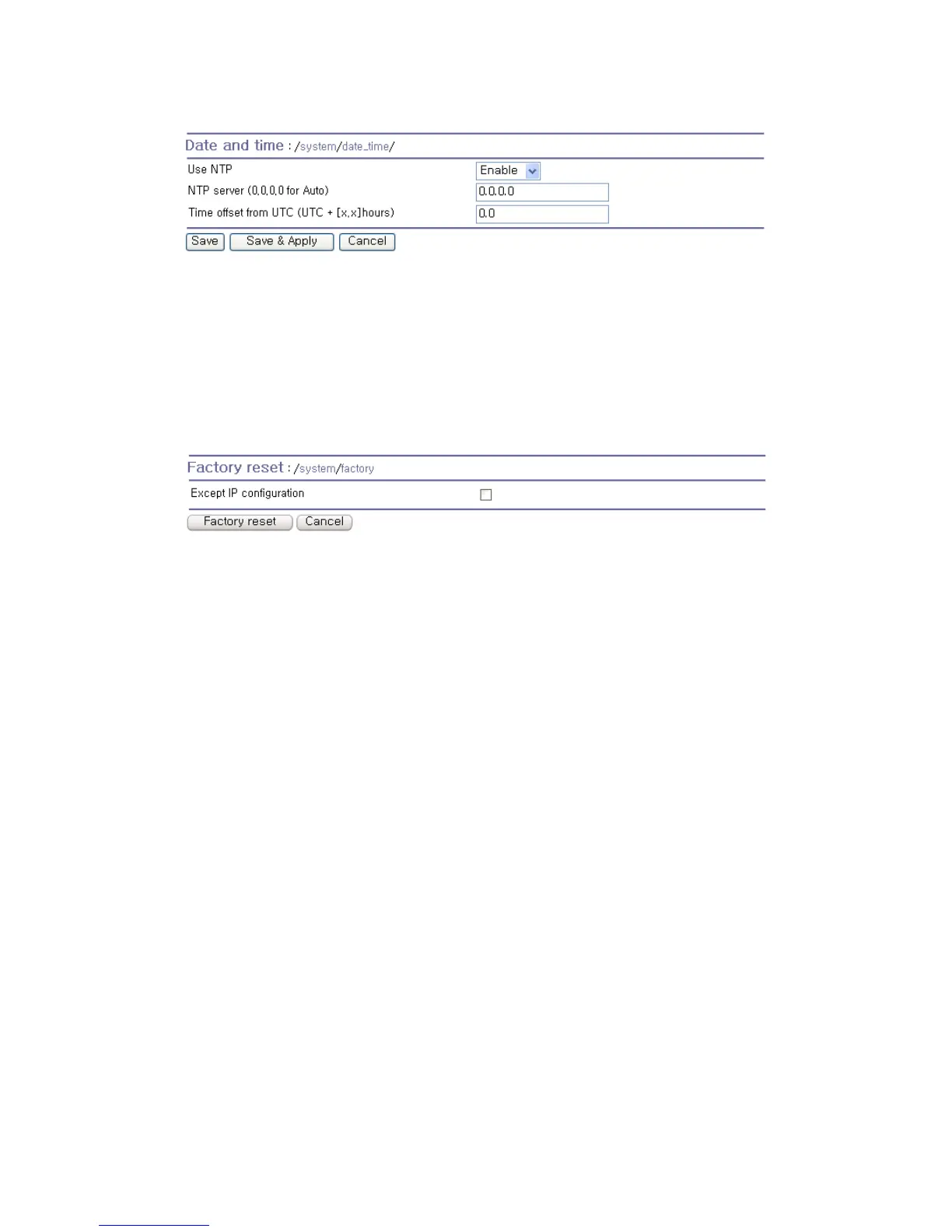
Figure 5-6 NTP configuration
5.6. Factory Reset
The user may restore the factory default settings at any time using this menu. (User can also restore
the factory default settings using the reset switch near by serial console port.)
Figure 5-7 Factory Reset
5.7. Configuration Management
The user may export the current configurations to a file at local machine and import the exported
configurations to current configurations.
The users can may restore the factory default settings at any time by selecting “Factory default” at
location property at the import part. Figure 5-8 shows the configuration management screen. The
following parameters should be properly set up in order to export / import configurations as follows:
Configuration export
Encrypt : Yes or No.
File name
Configuration import
Location : Location to import from. By selecting Factory default, the user may restore the factory
settings.
Configuration selection : Determines what kinds of configurations are imported.
Encrypt : If the location is Factory default, it has no effects.
URL : if the location is FTP or HTTP, write down address of configuration file.
Local path : Helps to browse the exported file at local machine if the location is local machine.



 To Next Page