77
login: root
Password:
# editconf
_] / [________________________________________________________________________
1. Network configuration
2. Serial port configuration
3. System administration
________________________________________________________________________________
COMMAND (Display HELP : help)>3
_] System administration [____________________________________________________
1. System status
2. System logging
3. Device Name : PS110
4. Date and time
5. Change password
6. User Administration
7. Factory reset
8. Firmware upgrade
________________________________________________________________________________
COMMAND (Display HELP : help)>8
_] Firmware upgrade [_________________________________________________________
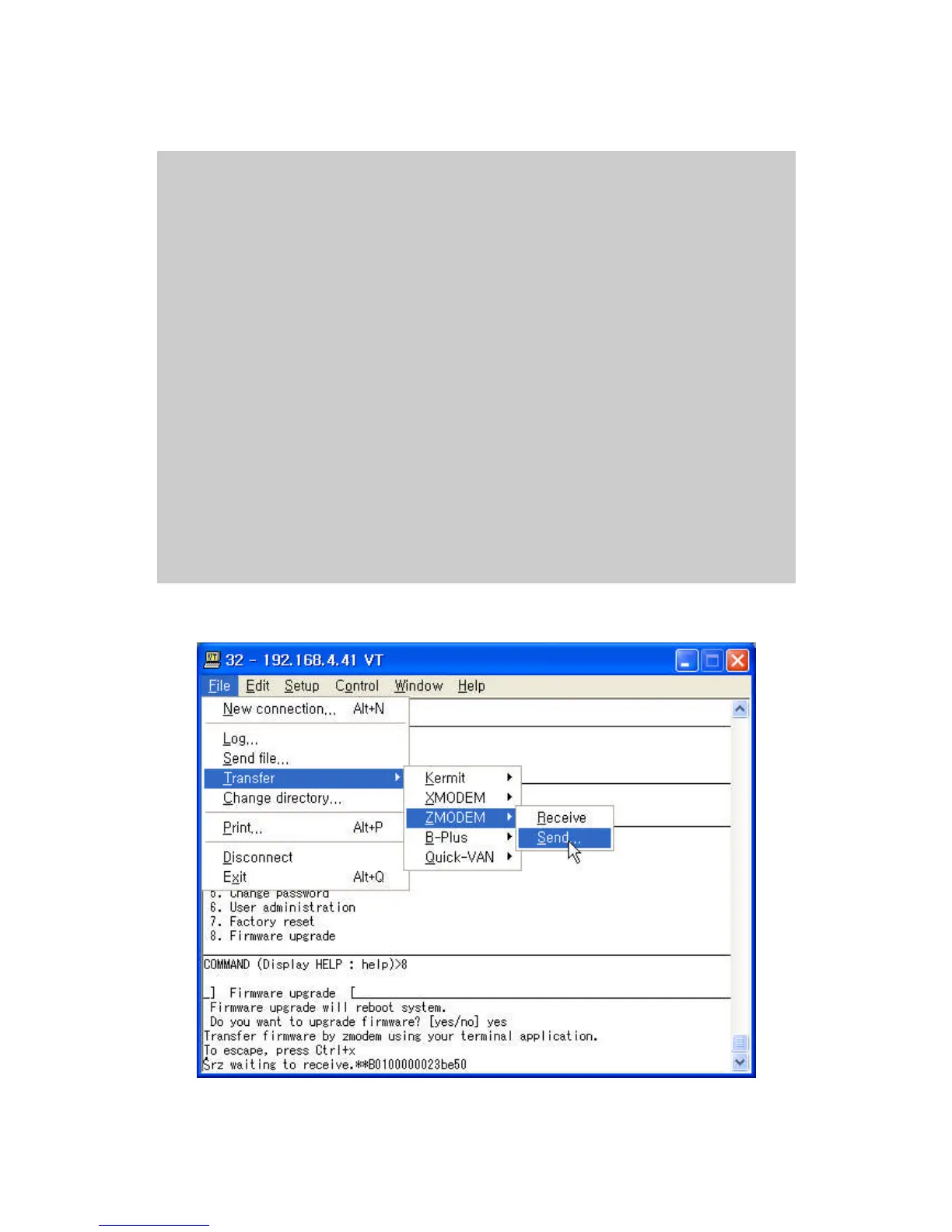
Do you want to upgrade firmware? [yes/no] yes
Transfer firmware by zmodem using your terminal application.
To escape, press Ctrl+X
**B0ff000005b157
Figure 5-10 Firmware upgrade using remote/serial console
Figure 5-11 Transfer binary file by Zmodem (TeraTerm Pro)



 To Next Page