English
19
7. QUICK REFERENCE
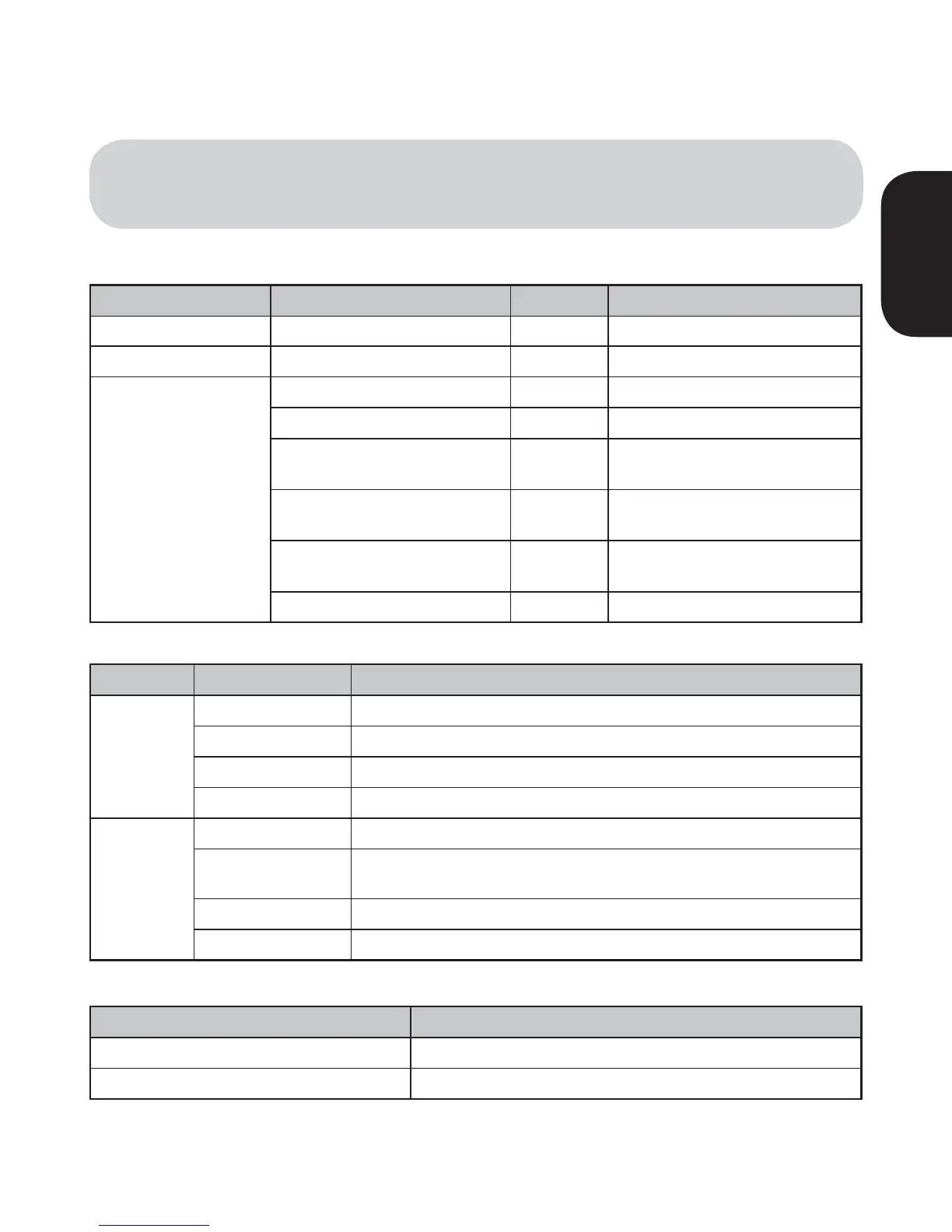
Button Description Duration LED
Power Switch ON Power-on 1 sec Solid blue and solid red
Power Switch OFF Power-off 1 sec LEDs off
Pairing Button
4HElRSTHEADSETPAIRING 5 sec "LUE,%$RAPIDmASHING
The second headset pairing 9 sec 2ED,%$RAPIDmASHING
Audio boosting-on
Double
tapping
"LUE,%$RAPIDmASHINGFOR
3 seconds
Audio boosting-off
Double
tapping
2ED,%$RAPIDmASHINGFOR
3 seconds
Factory reset 14 sec
2APIDmASHINGONBOTH"LUE
and Red LEDs
&ACTORYRESETCONlRM Tapping LEDs off
LED LED Status
Description
Blue LED
Solid
4HElRSTHEADSETIDLE
Slow Flashing
4HElRSTHEADSETCONNECTED!UDIOSTREAMINGTOTHElRSTHEADSET
Double Flashing
AUX muted
Rapid Flashing 0AIRINGWITHTHElRSTHEADSET
Red LED
Solid
The second headset idle
Slow Flashing
The second headset connected / Audio streaming to the second
headset
Double Flashing
AUX muted
Rapid Flashing
Pairing with the second headset
LED Description
Solid Blue Fully charged
Solid Red Charging
s Buttons
/('6WDWXV
/('6WDWXV:KLOH&KDUJLQJ


 To Next Page