EN – 3
3. Charging the battery/Power supply
• With anew device, please charge the battery from the USB DC 5.0 Vsource using the
supplied micro USB cable. (Adapter is NOT supplied with accessories).
- Shift the power switch in the ON position (green label)
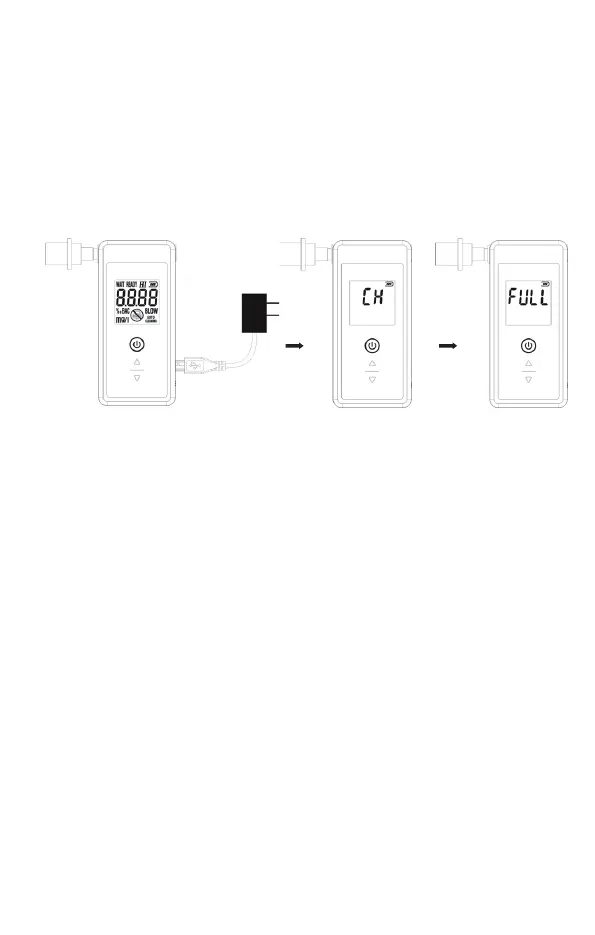
- Connect the USB cable to USB port on the device.
- While the charging is in progress, the LCD display will show “CH” and the indicator
will be flashing.
- Once the battery is charged, the LCD display will show FULL (Charged).
• If there is not enough energy in the battery to test for alcohol, the battery indicator will
be flashing. Then, recharge the battery immediately please.


 To Next Page