EN - 4
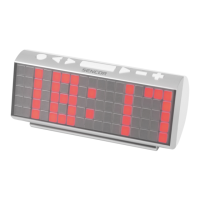
4. LCD display
5. [ TIME ] key
- Press it to switch between Month/Date and alarm time mode.
- Press and hold it for 2 seconds to enter normal time setting.
- In normal time setting, press it to step the setting mode.
6. [ ALARM ] key
- In normal time display, press it to turn on/off ALM 1 & ALM 2.
- In ALM 1 / ALM 2 mode, press it to turn on/off alarm and pre- alarm function.
- Press it to stop the current alarm when the bell is ringing and turn off the alarm and snooze function.
- In alarm time mode, press and hold it for 2 seconds to enter alarm time setting.
- In alarm time setting, press it to step the setting mode.
7. [ UP ] key
- In setting mode, press it to increase the setting values.
8. [ 12/24 / DOWN ] key
- In setting mode, press it to decrease the setting values.
- In normal time mode, press it to switch among 12/24 hour format.
9. [ LOOP ] key
- Press the [ LOOP ] key to turn on or turn off the backlight colour change.
10. [ RAINBOW ] key
- Turn off the LOOP function and press [ RAINBOW ] key, the backlight will change its colour in this
sequence: white > red > orange > yellow > green > cyan > blue > purple.
11. [ TUNE ] key
- Turn off the LOOP function and press [ TUNE ] key, the backlight will display 256 colours.
12. FOCUS knob
- Adjust the quality of the projected data.
13. [ MAX/MIN ] key
- Press it to check the minimum and maximum temperature records.
14. [ RCC ] key
- Press it to receive the RC signal for reception testing.
15. °C/°F key
- Press it to switch between Celsius and Fahrenheit.
16. [ RESET ] key
- Press it to reset all values to default values.
- In case of malfunction, the unit may be required to reset.
17. [ OFF / LO / HI ] slide switch
- Slide to the [ HI ] position for the brighter backlight.
- Slide to the [ LO ] position for the dimmer backlight.
- Slide to [ OFF ] position to turn off backlight function.
18. DC jack
19. Battery door - Lithium battery CR2032 for backing up settings.
TEMPERATURE CLOCK
1. Plug the adaptor into the DC jack.
2. Press [ RESET ] key to re-start the clock.
RECEPTION OF RADIO CONTROLLED TIME SIGNAL
The time and date are radio-controlled. The current time and date are automatically synchronized with the time
signal transmitted from Europe. When used for the fi rst time (pressing [ RESET ] key), the clock will start to
receive the RC signal in 20 seconds with the signal strength indicator fl ashing.



 To Next Page