EasyManua.ls Logo

Sencor SFP 5660 - User Manual

Sencor SFP 5660
23 pages
Print Icon
To Next Page IconTo Next Page
Loading...
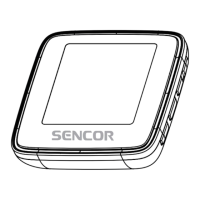
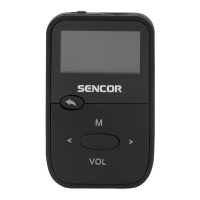
SFP 5660
MP3/MP4/WMA Player
Instruction Manual
Please read this manual carefully before operation.
MP3/MP4/WMA Přehrávač
Návod k obsluze
Přečtěte si prosím tento návod ještě dříve, než začnete s přístrojem pracovat.
MP3/MP4/WMA Prehrávač
Návod na obsluhu
Prečítajte si, prosím, tento návod ešte skôr, než začnete s prístrojom pracovať.
MP3/MP4/WMA Lejátszó
Használati útmutató
Kérjük olvassa el ezt a használati útmutatót mielőtt a készüléket használni kezdi.
Odtwarzacz MP3/MP4/WMA
Instrukcja obsługi
Przed rozpoczęciem używania urządzenia zapoznaj się z jego instrukcją obsługi.

Questions and Answers

Summary

Safety Precautions

Touch Control Functions

Touch Control Usage Guidelines

Instructions on proper finger placement for sensitive touch controls.

Menu Navigation and Basic Operations

Power On and Off

Procedure for turning the MP4 player on and off using the power key.

Music Playback Function

Video and FM Radio Features

FM Radio Tuning and Operation

Guide to tuning and using the FM radio function.

E-book and Recording Features

Audio Recording Procedure

How to start, stop, and save audio recordings.

System Settings and Language

Firmware Upgrade Guide

Guide to updating the player's firmware for improved performance.

Computer Connectivity

USB Connection Mode

How the player connects and is recognized by a computer via USB.

Battery Charging and WMA File Transfer

Charging the Player Battery

Instructions for charging the player's battery using a USB cable.

DRM WMA Music Transfer

Transferring DRM-protected WMA files using Windows Media Player.

WMA Transfer via Windows Media Player 9.0

Connect and Copy WMA Files (WMP 9.0)

Steps to connect the player and copy WMA music via WMP 9.0.

WMA Transfer via Windows Media Player 10.0

Add WMA to Sync List (WMP 10.0)

Using WMP 10.0 to add WMA music to a sync list for transfer.

Start WMA Sync Process (WMP 10.0)

Initiating the transfer of WMA music to the MP3-Player.

Video File Conversion Utility

Player Driver and Firmware Updates

Firmware Upgrade Steps

Connect Player for Firmware Update

Connecting the player and initiating the firmware update via USB.

Troubleshooting Guide

Trouble: Player Blocked or Unplayable

Resolving issues where the player is blocked or cannot play content.

Sencor SFP 5660 Specifications

General IconGeneral
Display1.8" TFT LCD
Supported Audio FormatsMP3, WMA
Internal Memory8 GB
FM RadioYes
Voice RecorderYes
External MemoryMicroSD
PowerBuilt-in rechargeable battery
Connectors3.5 mm headphone jack, USB
Battery LifeUp to 20 hours

Related product manuals