EN - 11
5.2 Convert Video to AVI format
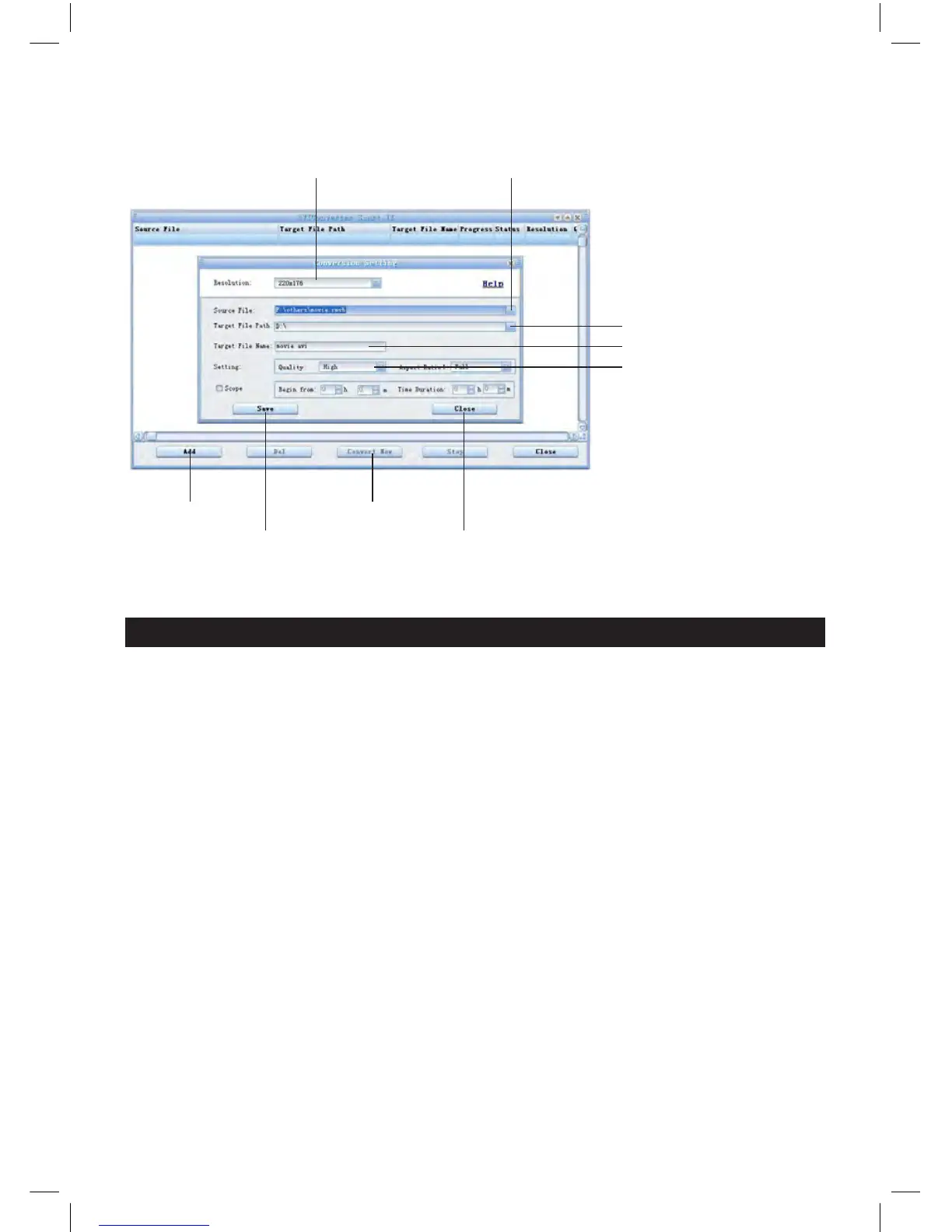
From PC>Program to run AVIConverter as below picture and steps for converting:
1. Select Resolution: 128x128 2. Select original input vido
3. Select saving Location
4. Input target fi le name
5. Select quality, ratio and
segment.
6. Click close
7. Click Convert
8. Click save
9. Click Add
After converting, copy the converted video fi le to the player, then enjoy it through player.
6. Accessories
Earphone 1 piece; USB cable 1 piece; drive CD 1 piece; user manual 1 piece.


 To Next Page