EasyManua.ls Logo

Sencor SLE 1955M4 - Page 14

Sencor SLE 1955M4
36 pages
Print Icon
To Next Page IconTo Next Page
To Previous Page IconTo Previous Page
Loading...
Remote
control
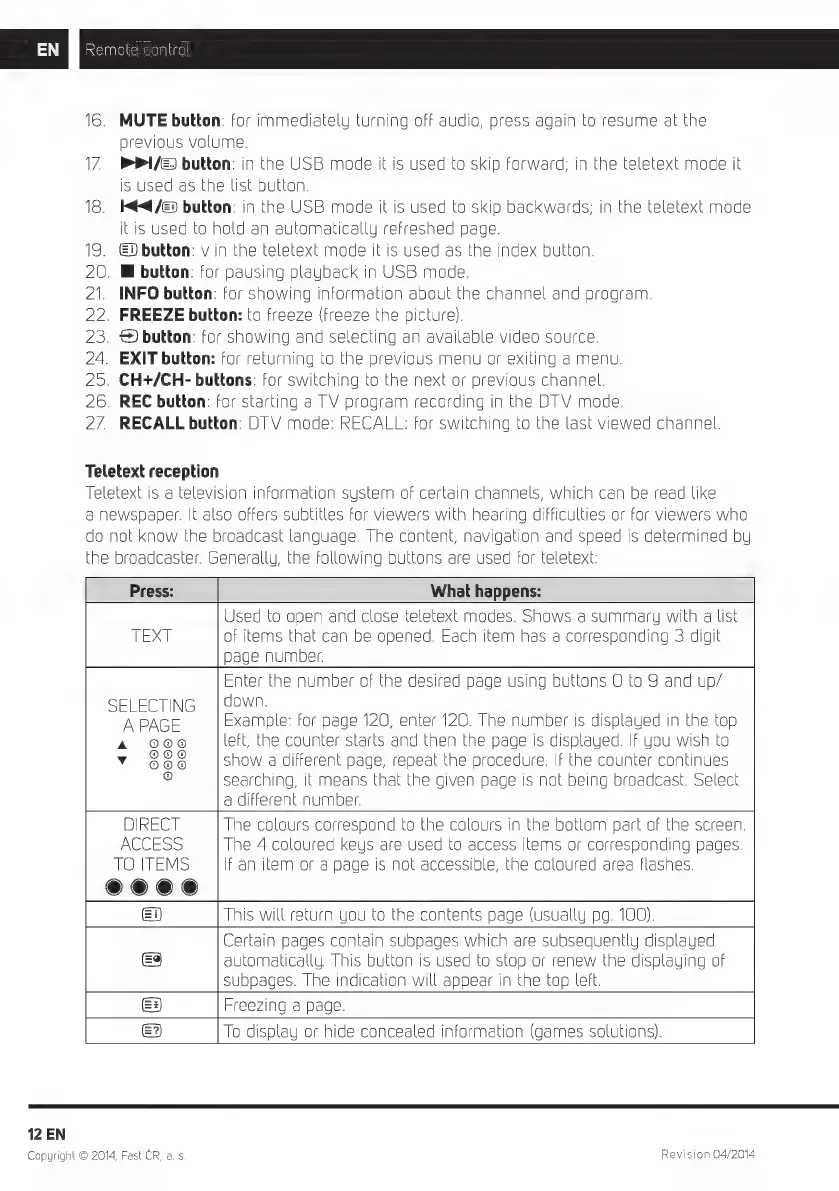
16.
MUTE
button:
for
immediately
turning
off
audio,
press
again
to
resume
at
the
previous
volume.
17
P/E
button:
in
the
USB
mode
it
is
used
to
skip
forward;
in
the
teletext
mode
it
is
used
as
the
list
button.
18.
H€4«/&3
button:
in
the
USB
mode
it
is
used
to
skip
backwards;
in
the
teletext
mode
itis
used
to
hold
an
automatically
refreshed
page.
19.
button:
v
in
the
teletext
mode
it
is
used
as
the
index
button.
20.
Bl
button:
for
pausing
playback
in
USB
mode.
21.
INFO
button:
for
showing
information
about
the
channel
and
program.
22.
FREEZE
button:
to
freeze
(freeze
the
picture).
23.
€)
button:
for
showing
and
selecting
an
available
video
source.
24.
EXIT
button:
for
returning
to
the
previous
menu
or
exiting
a
menu.
25.
CH*/CH-
buttons:
for
switching
to
the
next
or
previous
channel.
26.
REC
button:
for
starting
a
TV
program
recording
in
the
DT
V
mode.
27.
RECALL
button:
DT
V
mode:
RECALL:
for
switching
to
the
last
viewed
channel.
Teletext
reception
Teletext
is
a
television
information
system
of
certain
channels,
which
can
be
read
like
a
newspaper.
It
also
offers
subtitles
for
viewers
with
hearing
difficulties
or
for
viewers
who
do
not
know
the
broadcast
language.
The
content,
navigation
and
speed
is
determined
bu
he
broadcaster.
Generally,
the
following
buttons
are
used
for
teletext:
Press:
What
happens:
Used
to
open
and
close
teletext
modes.
Shows
a
summary
with
a
list
TEXT
of
items
that
can
be
opened.
Each
item
has
a
corresponding
3
digit
page
number.
Enter
the
number
of
the
desired
page
using
buttons
O
to
9
and
up/
SELECTING
|
down.
M"
A
PAGE
Example:
for
page
120,
enter
120.
The
number
is
displayed
in
the
top
A
000
left,
the
counter
starts
and
then
the
page
is
displayed.
If
you
wish
to
v
OO
show
a
different
page,
repeat
the
procedure.
If
the
counter
continues
©
searching,
it
means
that
the
given
page
is
not
being
broadcast.
Select
a
different
number.
DIRECT
The
colours
correspond
to
the
colours
in
the
bottom
part
of
the
screen.
ACCESS
The
4
coloured
keys
are
used
to
access
items
or
corresponding
pages.
TO
ITEMS
If
an
item
or
a
page
is
not
accessible,
the
coloured
area
flashes.
e
e
ee
This
will
return
you
to
the
contents
page
(usually
pg.
100).
Certain
pages
contain
subpages
which
are
subsequently
displayed
automatically.
This
button
is
used
to
stop
or
renew
the
displauing
of
subpages.
The
indication
will
appear
in
the
top
left.
E3
Freezing
a
page.
=?
To
display
or
hide
concealed
information
(games
solutions).
12
EN
Copyright
©
2014,
Fast
CR,
a. s.
Revision
04/2014

Related product manuals