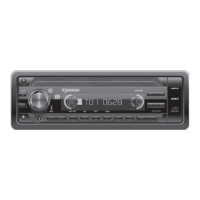
Contrast
The contrast level of the display is set at "CONTRAST 05" by default. Press the volume
down/up button to adjust the contrast level from 00 to 10.
Dimmer
The dimmer feature of the display is set to "DIMMER High" by default. Press the volume
down/up button to turn the dimmer to the Iow setting.
Clock Format
This option allows selection of a 12 hour or 24 hour clock format. "CLK FORMAT 12H" is the
Default setting. Press the volume down/up button to change to the 24 hour clock format.
Time Set
The time on the clock will be set to 12:00 as the default. Program the current time by Press
the volume up button to adjust the minutes and counterclockwise press the volume down
button to adjust the hours.
AREA (TUNER FREQUENCY SPACING)
This option allows the selection of the frequency spacing appropriate for your area. "AREA
Europe." is the default setting. Press the volume down/up button to select the U.S.A. Latin
America or Orit options.
Programmable Turn-on Volume (VOL PGM)
This option allows selection of the volume level the radio will automatically assume when
first turned on. "VOL PGM 12 " is the default setting, which will turn the radio on at the
volume level selected when the unit was last turned off.
To program a specific volume level for the radio to turn on at, press the volume down/up
button to select "VOLUME LEVEL”. Within 5 seconds.
Beep Tone
The beep tone feature allows the selection of an audible beep tone to be heard each time a
button is pressed on the face of the radio. "BEEP TONE On" is the default display. Press the
volume down/up button to select the "BEEP TONE Off" option.
E - 9
17. MENU FUNCTION LIST (MENU)
Press MENU for more than 3 seconds to access the menu. "Menu" will appear in the
display momentarily. Navigate the menu by pressing MENU momentarily to move forward
to the next option. The menu can also be navigated by using the Tuning Up or Tuning
Down Button to move to the next or previous option. Once the desired option appears in
the display, adjust that option by press the volume down / up button within 5 seconds. The
following options are adjusted through this menu feature.



 To Next Page