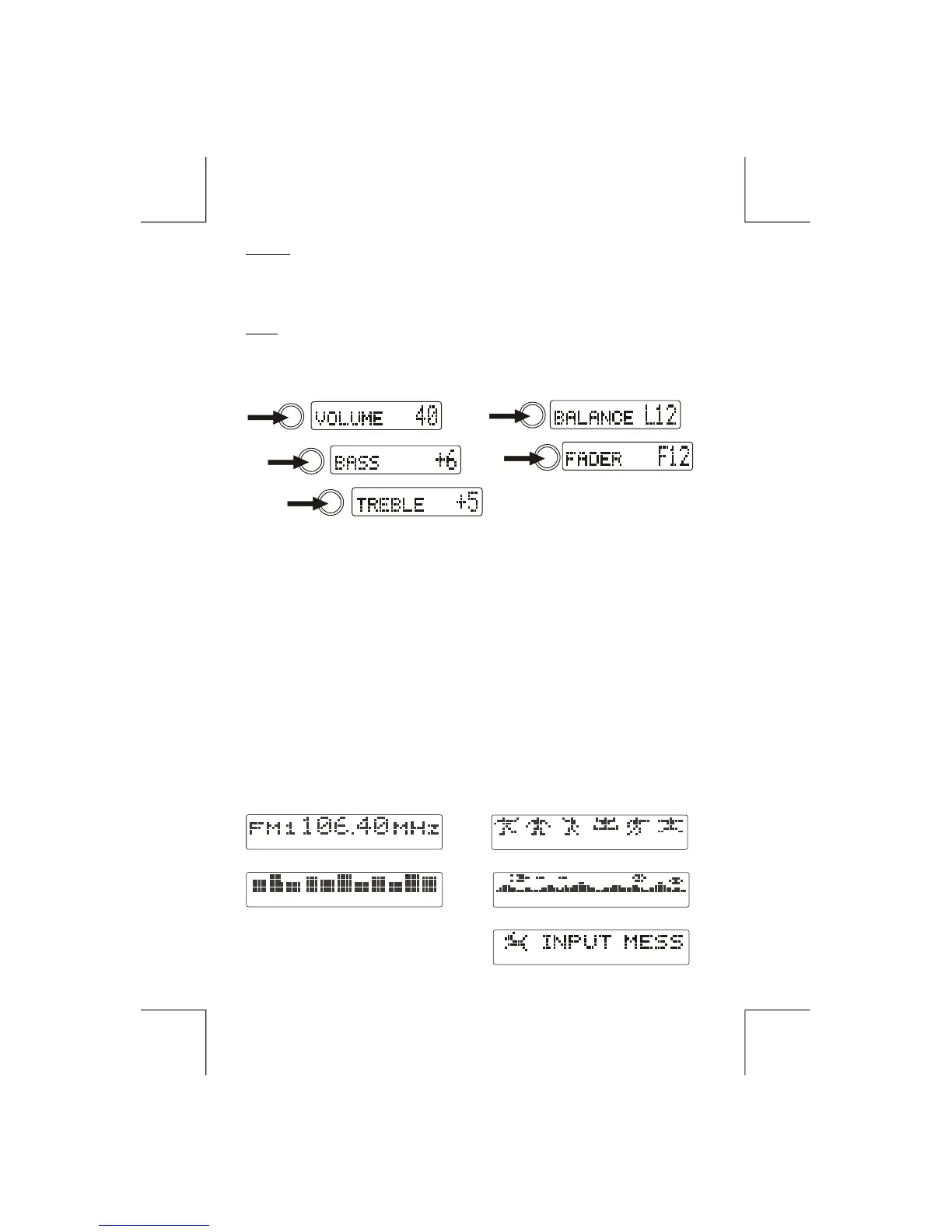
Fader
Press the AUDIO SELECT button five times, then press the Volume down / up button to
adjust the fader between the front and rear speakers from R12 (full rear) to F12 (full front).
"C00” Represents a center fader level between the front and rear speakers.
PRESS
1
PRESS
2
3
4
5
8. DISPLAY (DISP)
Press DISPLAY momentarily to navigate through the following animation options:
EQ animation, Animation Display , PTM (personal text message) and back to the default
display. The selected animation will appear in the display when the unit is turned on.
E - 8
Balance
Press the AUDIO SELECT button four times, then press the Volume down / up button to
adjust the balance between the right and left speakers from R12 (full right) to L12 (full left).
“C00” Represents a center balance level between the right and left speakers.
Default Display
EQ Animation
Animation 1(Option)
Animation 2 (Option)
Personal Text Message
7. IX-BASS BUTTON (IX-BASS)
Press & hold the iX-BASS button to activate the iX-BASS feature. When listening to music at
Iow volume levels, this feature will boost the bass and treble ranges to compensate for the
characteristics of human hearing. When this feature is activated, "iX-BASS On" will appear in
the display momentarily. Press & hold the iX-BASS button again to select "iX-BASS Off". The
iX-BASS icon will appear and remain in the display when the iX-BASS feature is activated.
6. PRESET EQUALIZER BUTTON (EQ5)
The equalizer function applies preset sound effects to the unit's audio output signal. Press
& hold EQ5 button to enter into the EQ5 mode, then press the EQ5 button repeatedly to
step through the following equalizer options: Off, Pop, Jazz, Classical, Beat and Rock. The
equalizer options will appear in the display as they are accessed.
When the equalizer function is activated, the most recently selected bass/treble levels can
not be adjusted. When the equalizer function is not active, the unit will return to the most
recently Selected bass and treble levels.
PRESS
PRESS
PRESS



 To Next Page