EasyManua.ls Logo

Sendai CD788 - User Manual

Sendai CD788
24 pages
Print Icon
To Next Page IconTo Next Page
Loading...
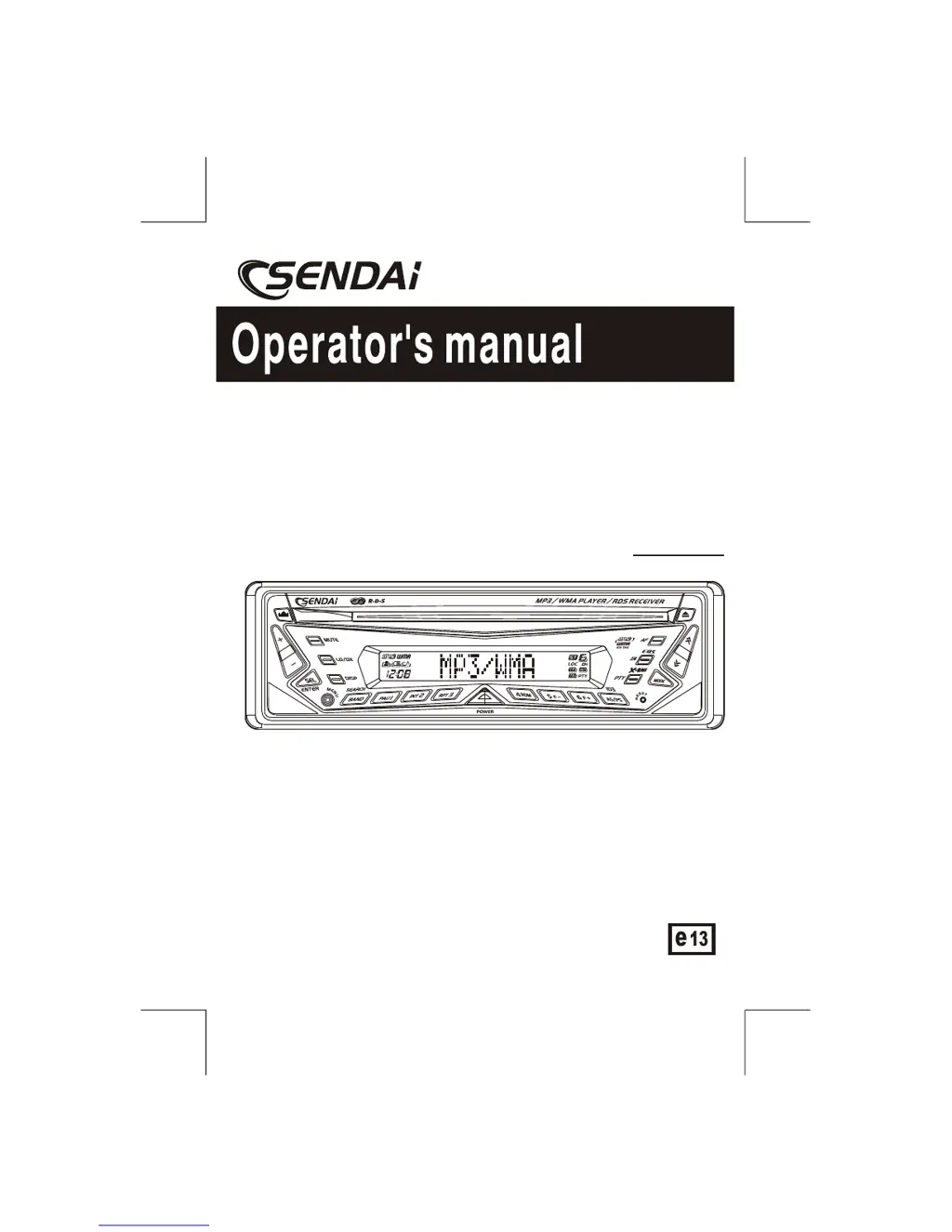
CAR CD / MP3/WMA PLAYER
RDS RECEIVER
CD788
e
13
022706
ITEM CODE : 345827
CD788

Questions and Answers

  • R
    Rita JohnsonAug 13, 2025
    Why is there no sound coming from my Sendai Car Receiver?
    • R
      Rachel SimmonsAug 13, 2025
      If your Sendai Car Receiver is not producing any sound, first, make sure the volume isn't set to the minimum. If it is, adjust it to a comfortable listening level. If the volume is properly adjusted, verify that all wiring connections are secure and correct.
  • M
    Melissa LangAug 16, 2025
    How to fix a Sendai CD788 Car Receiver that has no power?
    • C
      Caitlin GainesAug 16, 2025
      If your Sendai Car Receiver is not turning on, check that the car ignition is switched to “ACC” if the power supply is properly connected to the car accessory terminal. Also, inspect the fuse and replace it if it's blown.
  • S
    Samuel VillegasAug 20, 2025
    What to do if the operation keys on my Sendai Car Receiver do not work?
    • W
      Wayne GutierrezAug 20, 2025
      If your Sendai Car Receiver operation keys aren't working, the built-in microcomputer might not be operating correctly due to noise. Press the RESET button to resolve this issue.
  • C
    Crystal KirbyAug 25, 2025
    Why does the sound skip on my Sendai CD788?
    • C
      Christopher ChanAug 25, 2025
      If your Sendai Car Receiver is skipping sound, it could be due to the installation angle being more than 30 degrees. Adjust the installation to be less than 30 degrees. Alternatively, the disc may be dirty or defective. Try cleaning the disc or using a new one.
  • D
    Daniel WilsonAug 28, 2025
    What does 'Disc Error' mean on my Sendai CD788?
    • L
      Laura PhillipsAug 28, 2025
      If your Sendai Car Receiver is displaying 'Disc Error', the disc may be dirty, scratched, or inserted upside down. Try replacing the disc.
  • D
    Dr. Anne Lee MDSep 1, 2025
    Why won't my Sendai CD788 Car Receiver load or eject discs?
    • W
      William OlsenSep 1, 2025
      If your Sendai Car Receiver is having trouble loading or ejecting discs, first remove any disc currently inside the player before inserting a new one. Ensure that you are inserting the compact disc with the label facing upward. The disc might also be extremely dirty or defective, so try cleaning it or using a new one. If the temperature inside the car is too high, wait for it to cool down. If condensation has formed, leave the player off for about an hour, then try again.
  • B
    Brent FlynnSep 5, 2025
    Why isn't the radio working on my Sendai Car Receiver?
    • J
      Jeffrey WarnerSep 5, 2025
      If your Sendai Car Receiver radio isn't working or the automatic station selection isn't working, ensure the antenna cable is firmly connected. If the signals are too weak, try selecting a station manually.
  • H
    hawkinsmichaelSep 8, 2025
    What does 'No File' mean on my Sendai CD788 Car Receiver?
    • C
      Christina BowersSep 8, 2025
      If your Sendai Car Receiver displays 'No File', it means the disc contains a file format that is not supported for playback. Try replacing the disc with one that contains supported file formats.

Summary

Control and Function Keys

Handling Compact Discs

Moisture Condensation

Explains how moisture can condense on lenses and affect unit operation.

CD Handling Precautions

Covers cleanliness, avoiding damage, sunlight exposure, cleaning, and compatibility issues.

Installation

General Installation Guidelines

Covers wiring, parts, placement, angle, temperature, and front panel removal.

DIN Front-Mount Installation (Method A)

Step-by-step guide for front-mounting the unit using the provided holder.

Unit Removal and Trim Plate Installation

Details on how to remove the unit and install the trim plate.

DIN Rear-Mount Installation (Method B)

Step-by-step guide for rear-mounting the unit using side screw holes.

Detachable Control Panel (DCP)

DCP Removal and Attachment

Instructions for detaching and reattaching the control panel, including cautions.

Resetting the Unit

Procedures for resetting the unit using the reset button or eject button.

Wiring Diagram

ISO Connector Wiring Chart

Details pin assignments, wire colors, and functions for the ISO connector.

Basic Operations

Panel Release and Power Operations

Operations for releasing the panel and turning the unit on/off.

Basic Audio and Mode Controls

Using MODE, MUTE, and VOLUME buttons for basic audio adjustments.

Audio Function and Enhancement Settings

Adjusting Bass, Treble, Balance, Fader, iX-BASS, and EQ5 for sound output.

Display Customization

Navigating display animations, contrast, dimmer, and setting personal messages.

Menu Function List

Menu: Display and Clock Settings

Adjusting display contrast, dimmer, clock format, and setting the time.

Menu: Tuner, Volume, and Beep Tone

Configuring tuner area spacing, programmable turn-on volume, and beep tone.

Menu: Illumination and Clock Display

Selecting backlight color and configuring the clock display when the unit is off.

Menu: Key Illumination and Personal Text

Controlling front panel button illumination and setting a personal text message.

Greeting Notes and Clock Recall

Tuner Operation

Band Selection and Tuning

Using BAND/SEARCH and Tuning buttons for station selection and auto seek.

Preset Station Management

Storing and recalling stations using preset buttons and auto-store/scan features.

Stereo Reception and Signal Strength

Understanding stereo indicators and adjusting signal strength for tuning.

CD Player Operation

CD Insertion and Ejection

Instructions for inserting and ejecting CDs.

Playback Control (Pause, Track Select)

Managing playback with pause, track selection, fast forward/reverse.

Playback Modes (Repeat, Random, Intro)

Using RPT, RDM, and INT buttons for various playback styles.

RDS Operation

RDS Function Overview and AF;TA

Lists RDS functions and details AF/TA operation for frequency switching and traffic.

PTY Function and Storage

Searching by program type and storing favorite PTY stations.

RDS Menu Navigation and Settings

Accessing the RDS menu to configure Auto Seek, TA, and Regional settings.

RDS Menu: Auto Seek, TA, and Regional Settings

Configuring auto seek behavior, TA volume, and regional station selection.

MP3;WMA Operation

MP3;WMA Playback Overview and Requirements

Covers compatibility, media types, formats, ID3 tags, and encoder settings.

Writing Files and Playback Order

Guidance on writing files, shock protection, bit rates, and file/folder sequence.

File and Folder Playback Modes

Using Intro, Repeat, and Random modes for playing files and folders.

File and Folder Searching

Methods for searching files by number, folder navigation, and alphabetical input.

ID3 Tag Information Display

Viewing ID3 tag details like Album, Track, and Artist during playback.

Specifications

CD Player Specifications

Details on system, usable disc, sampling frequency, quantization bits, and channels.

Radio Section Specifications (FM;AM)

Frequency ranges, intermediate frequencies, usable sensitivity, and stereo separation.

General Specifications

Power supply, polarity, speaker impedance, and power output.

Troubleshooting

Sendai CD788 Specifications

General IconGeneral
BrandSendai
ModelCD788
CategoryCar Receiver
LanguageEnglish

Related product manuals