PT300D QuickStart Guide
Part Number BFA10083 - Verizon
-- 2 --
Step 2: Charging
Just like with any new mobile device, you’ll
need to charge your battery before you can
start using it. This is normally an overnight
process, or at least six hours. To do this:
• If you are using either the Basic Sensor
Pack or the Advanced Sensor Pack, you can
charge it by connecting it to the AC Adapter
and then plugging the adapter into any
standard electrical receptacle (see “Figure
3 - Charging up a Sensor Pack”.)
• If you are using an Accessory Pack with
the 10K mAh Battery Pack, the process is
similar. Just connect the battery to the AC
adapter and then plug the adapter into
the electrical receptacle (see “Figure 4 -
Charging the 10k mAh Battery Pack”.)
Step 3: Airtime Account
In order for your device to operate and
communicate properly, you need to have a
machine-to-machine (M2M) airtime account
set up. If you don’t have an account, please
contact your wireless provider and provide
them the ‘Device Identifier’ number of your
device.
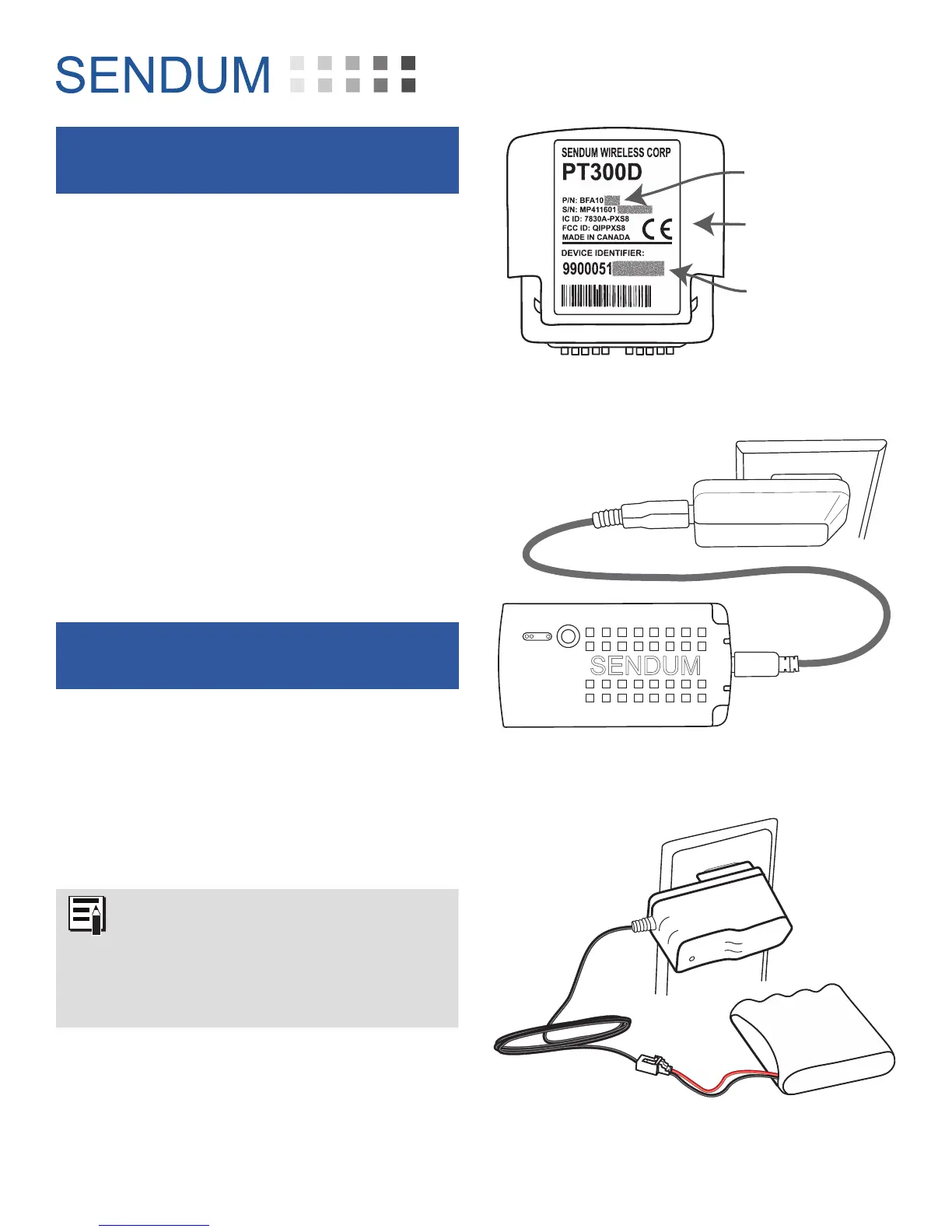
The Device Identifier is device-specific
serial number found on the back of
the PT300D Command Module (see
“Figure 2 - Locating the PT300D
Device ID”). This identifier is also
known as ESN, MEID, or IMEI.
What’s needed is an M2M airtime account with
SMS texting capability. Typical data plan sizes
are 1 MB, 5 MB, and 10 MB (with the 5 MB
plan being a popular choice).
Device Identifier
PT300D Command
Module
Part Number
Figure 2 - Locating the PT300D Device ID
Sensor Pack
AC Adapter
PT USB Cable
Figure 3 - Charging up a Sensor Pack
Figure 4 - Charging the 10k mAh Battery Pack


 To Next Page
 Loading...