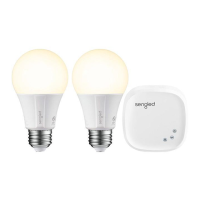
Need help?
Do you have a question about the Sengled E11-G13 and is the answer not in the manual?
Read and follow all precautions before installing, including power off, no disassembly, and dimmer compatibility.
Download the latest Sengled Home App from the Apple App Store or Google Play Store.
Register a Sengled account, then twist bulb into socket with power off and turn power on.
Add new devices by selecting Starter Kit or Element Bulbs in the Sengled Home App.
Ensure app discovers the bulb; refer to support.sengled.com for troubleshooting concerns.
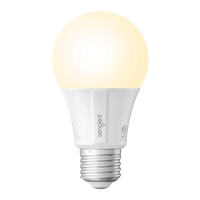
Control bulbs manually, via Sengled Home App, or through partner programs like Alexa and Google Assistant.
 General
| Brand | Sengled |
|---|---|
| Model | E11-G13 |
| Type | LED |
| Shape | A19 |
| Wattage | 9W |
| Incandescent Equivalent | 60W |
| Voltage | 120V |
| Color Temperature | 2700K |
| Brightness | 800 lumens |
| Base | E26 |
| Dimmable | Yes |
| Lifespan | 25, 000 hours |
| Connectivity | Wi-Fi |
| Energy Star Certified | Yes |
| Compatibility | Amazon Alexa, Google Assistant |

 To Next Page