EN - 14 WWW.SENIXTOOLS.COM
TROUBLESHOOTING
Suspected malfunctions are often due to causes that the users can x themselves. Therefore, check the product using this
section. In most cases the problem can be solved quickly.
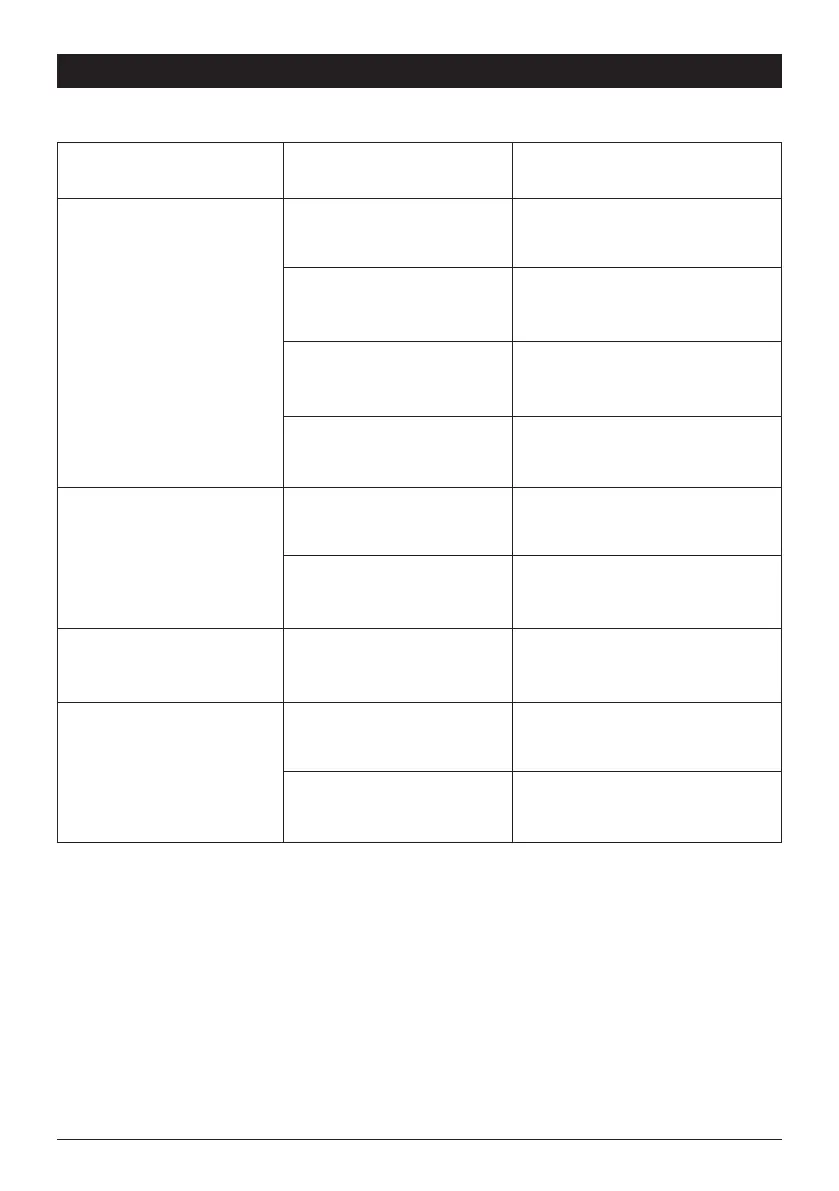
PROBLEM POSSIBLE CAUSE SOLUTION
Product does not start
Battery pack not properly attached Attach properly
Battery pack capacity too low Remove and charge battery pack
Battery pack damaged Check by a specialist electrician
On/off switch not set on ON
position
Refer to chapter “SWITCHING ON/OFF”
Product does not reach full power
Battery pack capacity too low Charge battery pack
Air vents are blocked Clean the air vents
Vibration or noise is excessive Bolts/nuts are loose Tighten bolts/nuts
Product suddenly stops
Battery pack capacity too low Remove and charge battery pack
Battery too hot Remove battery pack and let it cool down



 To Next Page