Jameco Part number 151482
151482 - Ultrasonic Sensor User's Guide
Operation
Starting the sensor
Following installation and connection according to the
preceding sections, the sensor starts running as soon as
the DC power is applied.
When the sensor is running the Power Indicator should
be ON and a repetitive clicking heard from the
transducer.
Distance Calculation
The sensor's measured distance is represented by the data
transmitted on the TX terminal of the terminal block. The
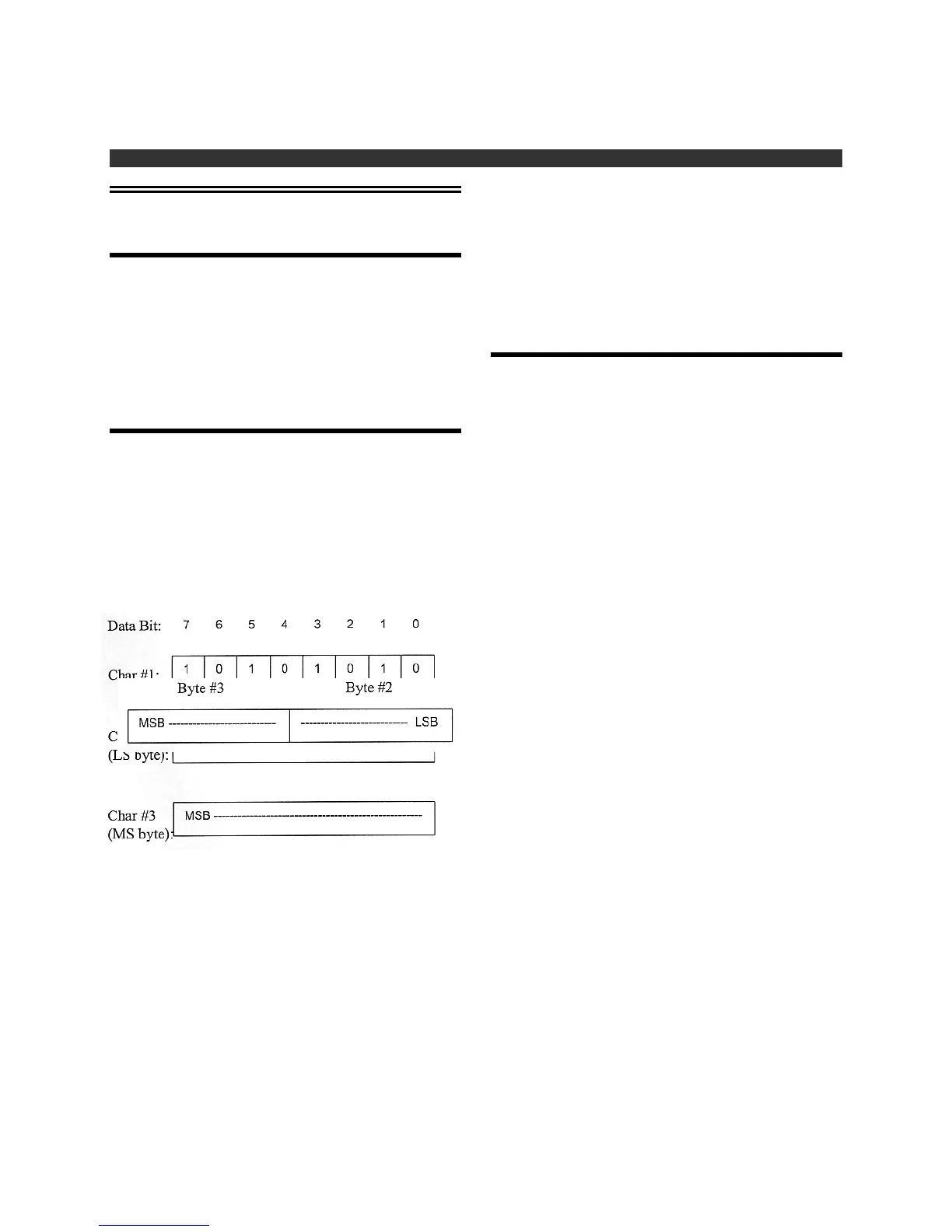
data is contained in 3-characters burst with the following
definition:
#1:55H (sync character)
#2:LSByte of count data
#3:MSByte of count data
Bytes 2 and 3 combined are combined into a single
16-bit word representing a distance proportional value as
shown below:
The distance can be calculated from the 16-bit data value
as follows:
Inches = Value * 0.013536
The maximum count value is about 8865, representing a
distance of 10 feet (120 inches). Targets closer than 6
inches will generally return values down to about 5.2
inches. If the sensor does not detect a target within 10
feet, the sensor transmits a zero value.
Software
A QuickBasic example program is provided on the
included floppy disk that will read the sensor data output
and display the measured distance on a personal
computer screen. The following files are provided on the
diskette:
JAMECO1.EXE
-- DOS executable program
JAMECO1.BAS
-- QuickBasic source code for
JAMECO1.EXE showing how the programming and
display of sensor data are accomplished.
Run the program as follows:
1. Insert the floppy disk into the computer. The
program can be run from floppy, or the 2 files listed
above can be copied to a subdirectory on the
computer's hard drive and run from there.
2. Connect and power the sensor as described
previously in Getting Started.
3. Run the program by typing JAMECO1 at the DOS
prompt. This runs the executable file. The program
can also be run as a DOS task under Windows 3.1
or Windows 95.
4. The program will first display "Which COM port is
the sensor connected to (1/2)?" Type the number 1
or 2 depending upon which port you are using, then
press the <Enter> key.
5. The program now displays distance. A zero value is
displayed if no target is detected within 10 feet. The
data is updated every 50 mSec. To exit the
program, hit any key.
Refer to the source code file JAMECO1.BAS to
understand how to read sensor data and calculate the
distance.
Senix Corporation, 52 Maple St., Bristol, VT 05443
Page 7



 To Next Page