36 | All-Day Clear Slim All-Day Clear Slim | 37
Volume Control
Both hearing aids must be turned on and
within 20 cm of each other to work as
described below.
• To increase the volume of both hearing aids,
quickly press the push button (<2 seconds)
on your right hearing aid. You will hear
a short beep to indicate the increase in
volume
• To decrease the volume of both hearing aids,
quickly press the push button (>2 seconds)
on your left hearing aid. You will hear a
short beep to indicate the decrease in
volume
You can also control the volume of your
hearing aids through the All-Day Clear App
sound control feature.
Sound mode change
Each time you press the push button on either
hearing aid for <2 seconds, you will move to
the next hearing aid sound mode. You will hear
a beep to indicate which sound mode you are
in.
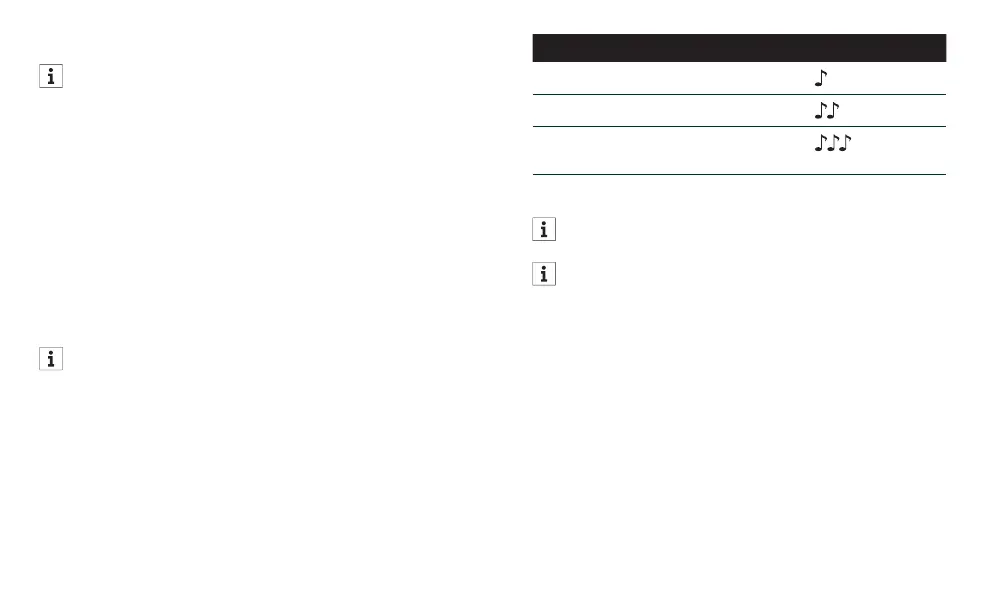
Sound mode setting Beeps
Automatic (Default) 1 beep
Live Music 2 beeps
TV Connector (available, if
connected)
3 beeps
You can also change sound modes using the
All-Day Clear App sound control.
If connected to a TV Connector, you must
select the TV Connector sound mode to
hear the audio through your hearing aids.
Accepting Incoming Calls
Quickly press the push button (>2 seconds) on
either hearing aid to answer the incoming call.
Rejecting Incoming Calls
Press the push button on either hearing aid
(<2 seconds) to reject the phone call.














 To Next Page