Getting started
8 | BTD 600
2. Pairing Bluetooth headphones with the USB
dongle
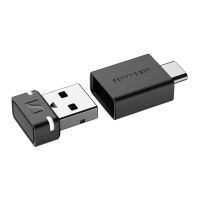
The dongle is compatible with all Bluetooth headphones.
É Make sure that the desired Bluetooth headphones are ready for
pairing (see the instruction manual of the Bluetooth headphones).
After connecting to a PC/Mac, the dongle is automatically in pair-
ing mode and searches for Bluetooth headphones to be paired
with.
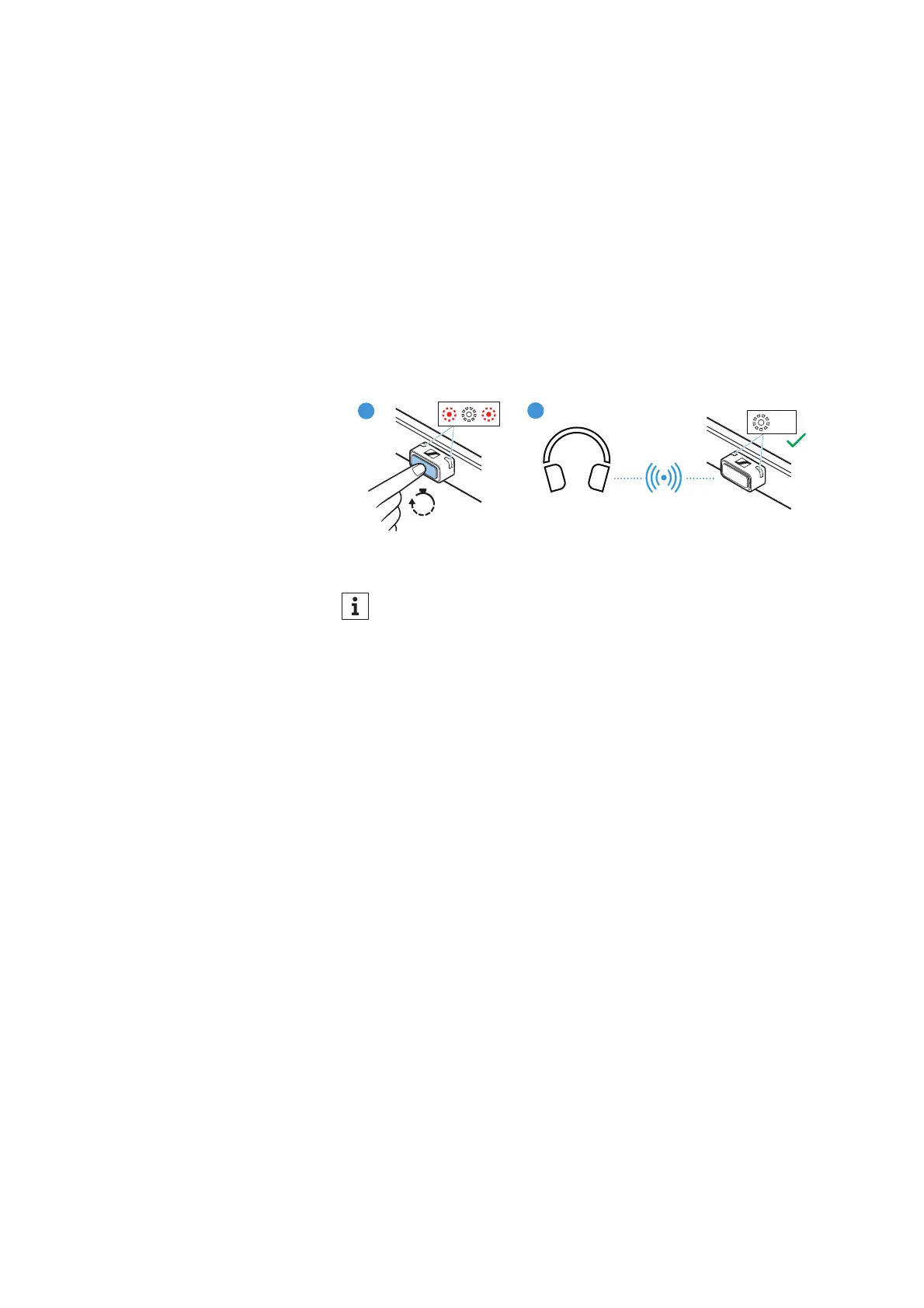
While the dongle is in pairing mode, the status LEDs on the don-
gle housing will alternately flash red and white.
É If the dongle does not automatically change to pairing mode, start
the pairing mode manually. To do this, press the pairing button for
3 seconds.
As soon as the dongle is paired with a pair of Bluetooth head-
phones, the status LEDs on the dongle housing flash white 3x.
Once the dongle is successfully paired with a pair of Bluetooth
headphones for the first time, the dongle will save the connec
-
tion profile of the Bluetooth headphones in the pairing list.
When you reconnect the paired dongle to a PC/Mac, the
dongle will automatically try to reconnect to the paired Blue
-
tooth headphones.


 To Next Page