4
Putting the headset into operation
Connection options
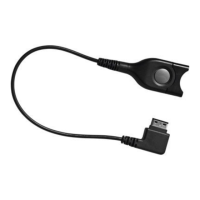
The headset is not directly connected to the telephone
but via a telephone-specific adapter cable (accessory).
Connection of the headset to the adapter cable is via the
“Easy Disconnect” facility.
There are three connection options:
• The adapter cable is connected to the telephone
instead of the handset.
• The adapter cable is connected to the telephone in
addition to the handset.
• The adapter cable is connected to a Universal
Interface (accessory).
Connecting the adapter cable to the telephone’s hand-
set socket
Pull the Western plug of the handset cable out of the
telephone.
Connect the Western plug of the adapter cable to the
handset socket on the telephone until it locks into place.
An audible “click” should be heard.
CC_510.book Seite 4 Donnerstag, 10. April 2003 3:02 15



 To Next Page