Right
Quick Guide
Kurzanleitung
Guide rapide
Guida rapida
Instrucciones resumidas
Guida rápido
Beknopte handleiding
SC 30 USB CTRL
SC 30
USB CTRL
SC 60
USB CTRL
SC 60 USB CTRL
2-3 cm
Left
Vol
Vol
2s
www.sennheiser.com/
cco/software
Call Control Software
Microsoft
Windows
only
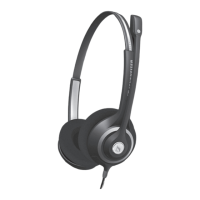
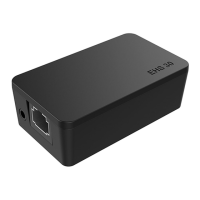
Delivery includes | Lieferumfang | Contenu |
Volume di fornitura | Volumen de suministro |
Itens fornecidos | Leveringsomvang
Connection possibilities | Anschlussmöglichkeiten |
Possibilités de raccordement | Possibilità di collega-
mento | Posibilidades de conexión | Ligações
possíveis | Aansluitmogelijkheden
Wearing the headset | Headset aufsetzen |
Mettre le casque-micro | Indossare l'headset |
Ponerse los auriculares | Colocar o micro-auscul-
tador | De headset opzetten
Detailed information | Ausführliche Informatio-
nen | Informations détaillées | Informazioni
dettagliate | Informaciones detalladas |
Informações detalhadas | Uitvoerige informatie
Replacing the ear pad | Ohrpolster austauschen |
Remplacer le coussinet d‘oreille | Sostituzione dei
cuscinetti auricolari | Cambiar las almohadillas |
Substituir as almofadas | Oorkussens vervangen
To accept/end a call | Anruf annehmen/beenden |
Prendre/terminer un appel | Accettare/Terminare
una chiamata | Contestar/finalizar llamada |
Atender/terminar chamada |
Gesprek aannemen/beëindigen
Adjusting the volume | Lautstärke
einstellen | Régler le volume | Impostazione del
volume | Ajustar el volumen | Ajustar o volume |
Volume instellen
Mute Microphone | Mikrofon stumm schalten |
Couper le microphone | Silenziamento del microfo-
no | Silenciar el micrófono | Activar o modo de
silêncio no microfone | Microfoon op mute schakelen
Redialing | Wahlwiederholung | Recomposer le
dernier numéro |Ripetizione della selezion |
Rellamada | Remarcação | Nummerherhaling
Industriparken 27, 2750 Ballerup, Denmark
www.sennheiser.com
Printed in China, Publ. 07/13, A03
Sennheiser Communications A/S
www.sennheiser.com/
cco/support
Safety guide
Quick guide
EN
DE
FR
IT
ES
PT
NL

 Need help?
 General
 Weight and Dimensions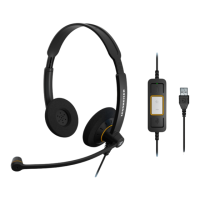
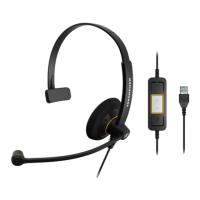


 To Next Page