61
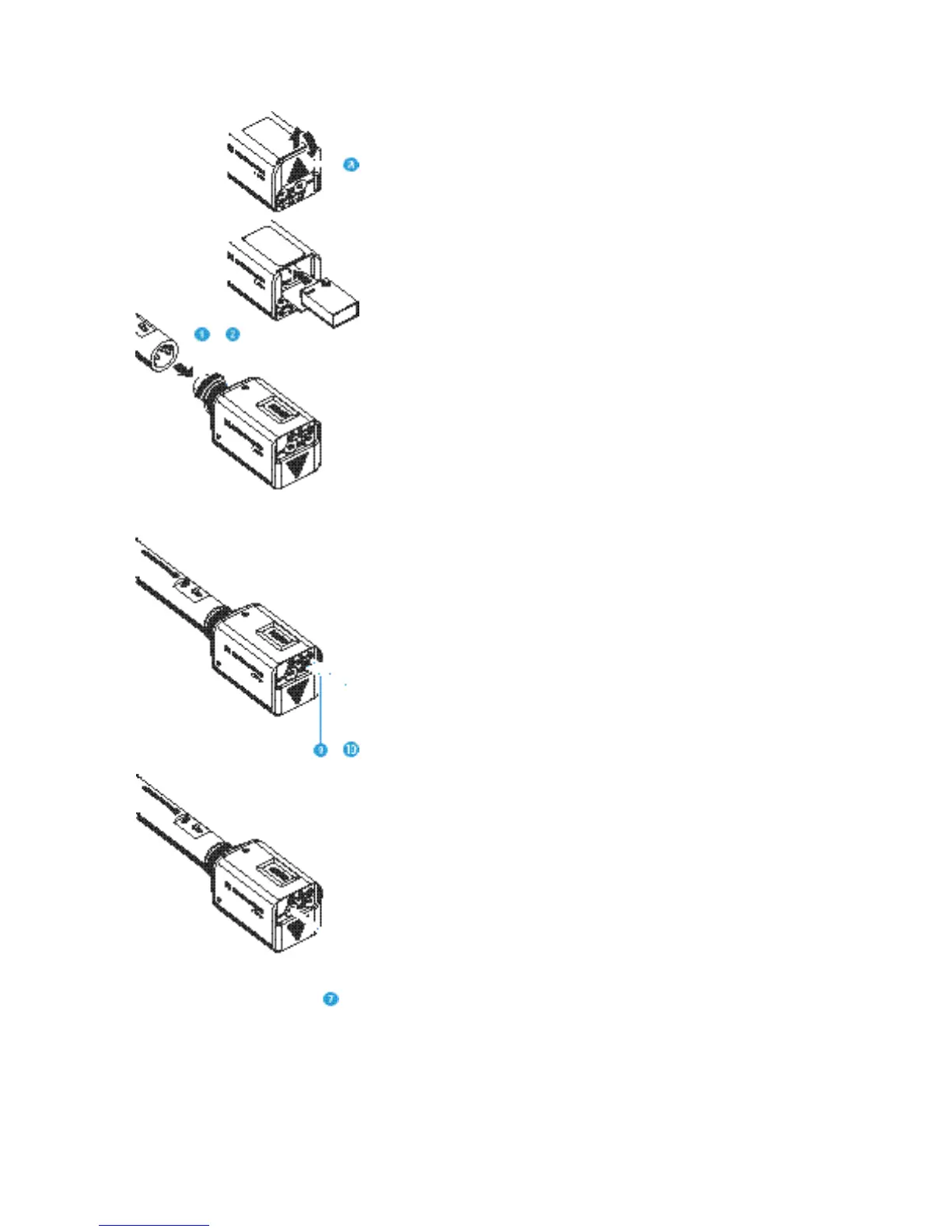
Inserting and changing the battery
씰 Slide the cover of the battery compartment in the direction of the
arrow until it clicks audibly and open the cover.
씰 Insert the 9 V PP3 battery (IEC 6 LR 61). Please observe correct polarity
when inserting the battery.
씰 Close the battery compartment.
Plugging the transmitter onto the microphone
씰 Plug the transmitter’s XLR-3 connector onto the microphone’s
XLR-3 socket.
씰 Tighten the locking ring .
Note:
The transmitter uses the microphone body as an antenna – therefore
only microphones with a metal casing should be used for best signal
transmission.
Switching the transmitter on/off
씰 Press the ON/OFF button to switch the transmitter on. The red
LED lights up.
씰 To switch the transmitter off, press the ON/OFF button until “OFF”
appears on the display. You can then release the button. The red LED
goes off.
Muting the transmitter
Use the MUTE switch to noiselessly mute the transmitter’s audio signal
(this switch does not switch off the transmitter).






 To Next Page