72
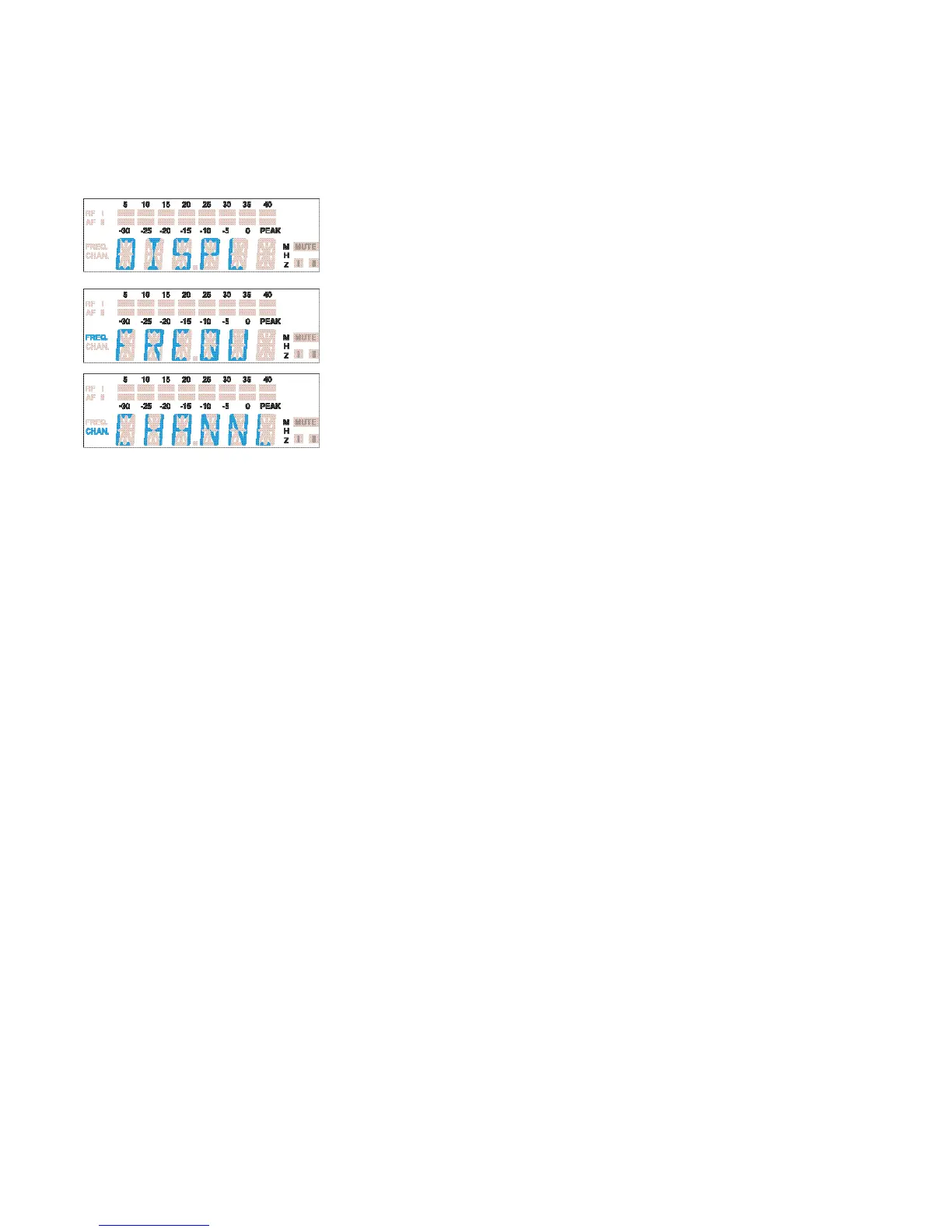
DISPL
DiSPL
Selecting the content of the standard display
With all transmitters and receivers you can choose the content of the standard
display i.e. whether the frequency or the channel number is displayed.
씰 Select the “DISPL” menu by pressing the SET button until “DISPL”
appears on the display; after a short pause the current setting is
displayed.
씰 With the / buttons you can now choose between:
Channel number: “CHANNL”
Frequency: “FREQU”
The new setting for the standard display starts flashing on the display.
씰 Press the SET button to return to the top menu level. The display
then switches to the new standard display.




 To Next Page