8
Replacing the connecting cable
Replace the connecting cable if it is damaged. To do so, please
proceed as follows:
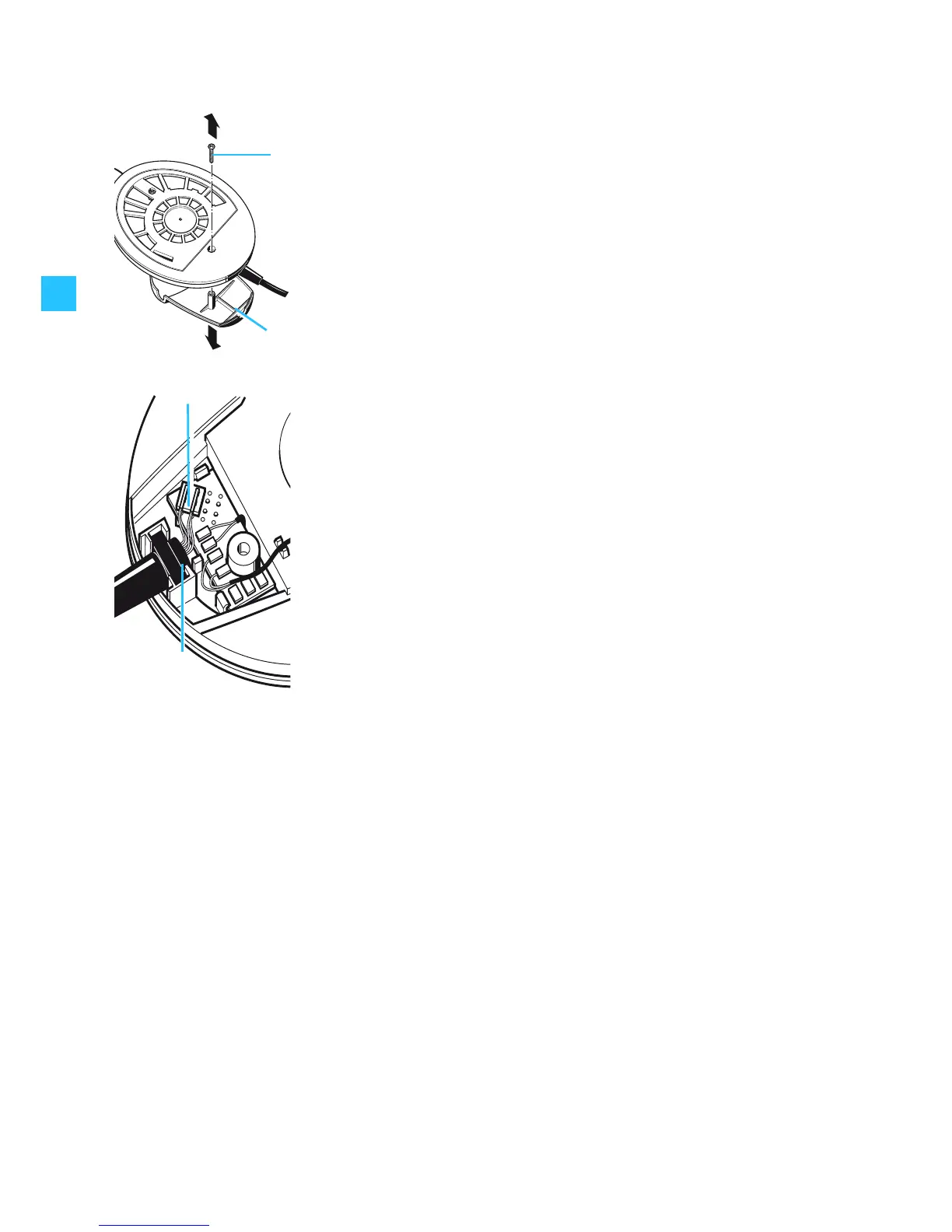
왘 Remove the ear cushion. Grasp behind the ear cushion and
pull it up and away from the earcup.
왘 Loosen the screw and remove it.
왘 Remove the cover from the earcup .
왘 Pull the connector out of the socket.
왘 Remove the antikink protection of the connecting cable
from the holding device .
왘 Insert the antikink protection of the new connecting cable
into the holding device.
왘 Plug the connector of the new connecting cable into the
socket as shown in the diagram on the left.
왘 Put the cover back onto the earcup .
왘 Replace the screw and tighten it.
왘 Slide the ear cushion onto the earcup.
Converting the headphones into a headset
If you wish to convert your headphones into a headset, please
contact your Sennheiser service partner who will equip the
headphones with a microphone.






 To Next Page