left earbud)
19. Built-in rechargeable battery
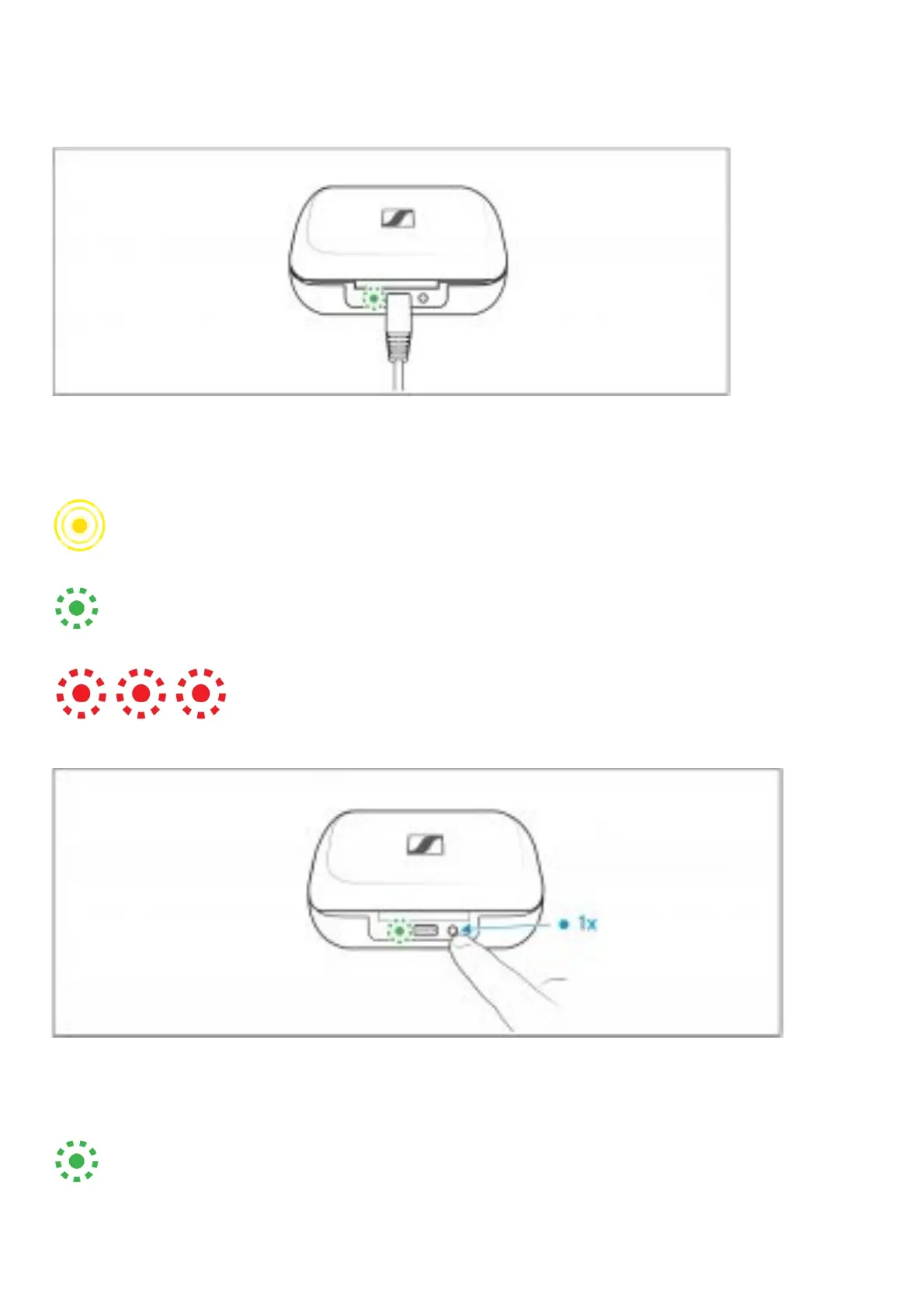
Overview of the LED indications of the charging case
When a USB cable is connected, the LED of the charging case permanently displays the charging
process:
LED: Charging case WITH earbuds inserted: Charging case WITHOUT earbuds inserted
pulses yellow: … earbuds and charging case are being charged:… charging case is being
charged
lights up green: … earbuds and charging case are fully charged: … charging case is fully
charged
flashes red: … a charging error/ battery error has been detected in at
least one earbud (> 34): … a charging error/ battery error has been detected in the charging case
(> 34)
If you press the LED button and no USB cable is connected, the LED of the charging case displays the
battery charge status or the charging process of the earbuds for 5 seconds:
LED: Charging case WITH earbuds inserted: Charging case WITHOUT earbuds inserted
lights up green: … earbuds are fully charged and the charging case can still charge at
least one complete cycle: … charging case is fully charged







 To Next Page