Daily use
Sennheiser TVS 200 Earbuds | 19
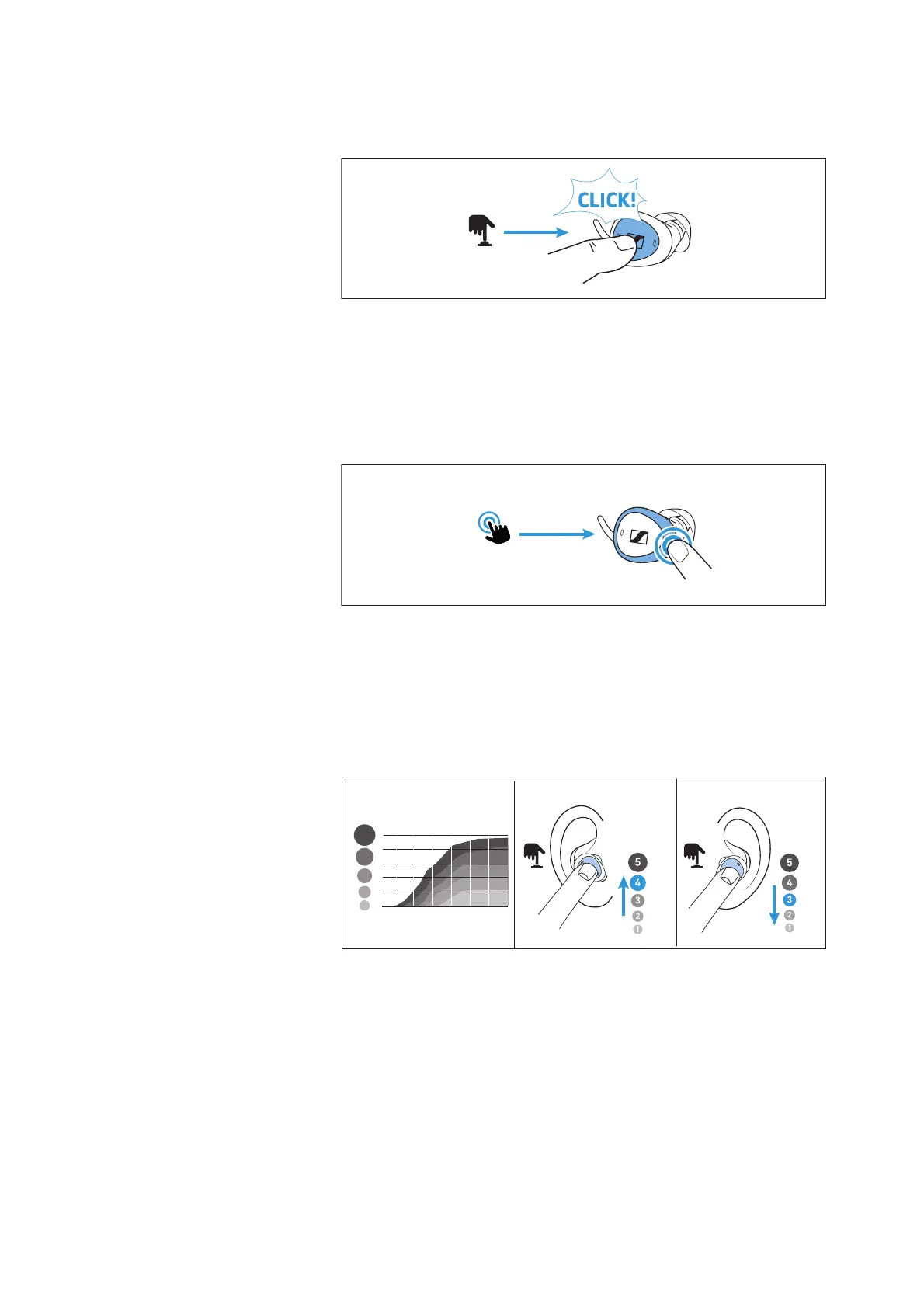
the left earbud “reduces (down)”. Die Funktionen der Tasten kön-
nen mit der App deaktiviert werden.
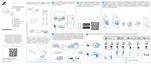
• Configurable double-tap control
To activate additional functions, tap the earbud frame twice
lightly but clearly. The double-tap control can be configured via
the app.
The default configuration of the right earbud is Ambient Aware-
ness Off/On and the left earbud is Pause/Restart of playback.
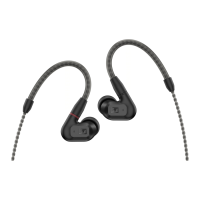
Adjusting the speech clarity
During streaming or a call, you can select one of five predefined set-
tings for speech clarity.
Setting 1: no additional amplification
Settings 2 – 5: boost of high frequencies for more speech clarity
▷ Long-press to the right (> 1.5 seconds) to increase the speech
clarity.
▷ Long-press to the left (> 1.5 seconds) to reduce the sharpness.
A voice prompt confirms the changes to the settings, e.g. “Pro-
gram 4”.
Speech clarity
Right Left
Press
for 2
Press
for 2
max
off
max
off




 To Next Page