Daily use
20 | Sennheiser TVS 200 Earbuds
Adjusting the volume
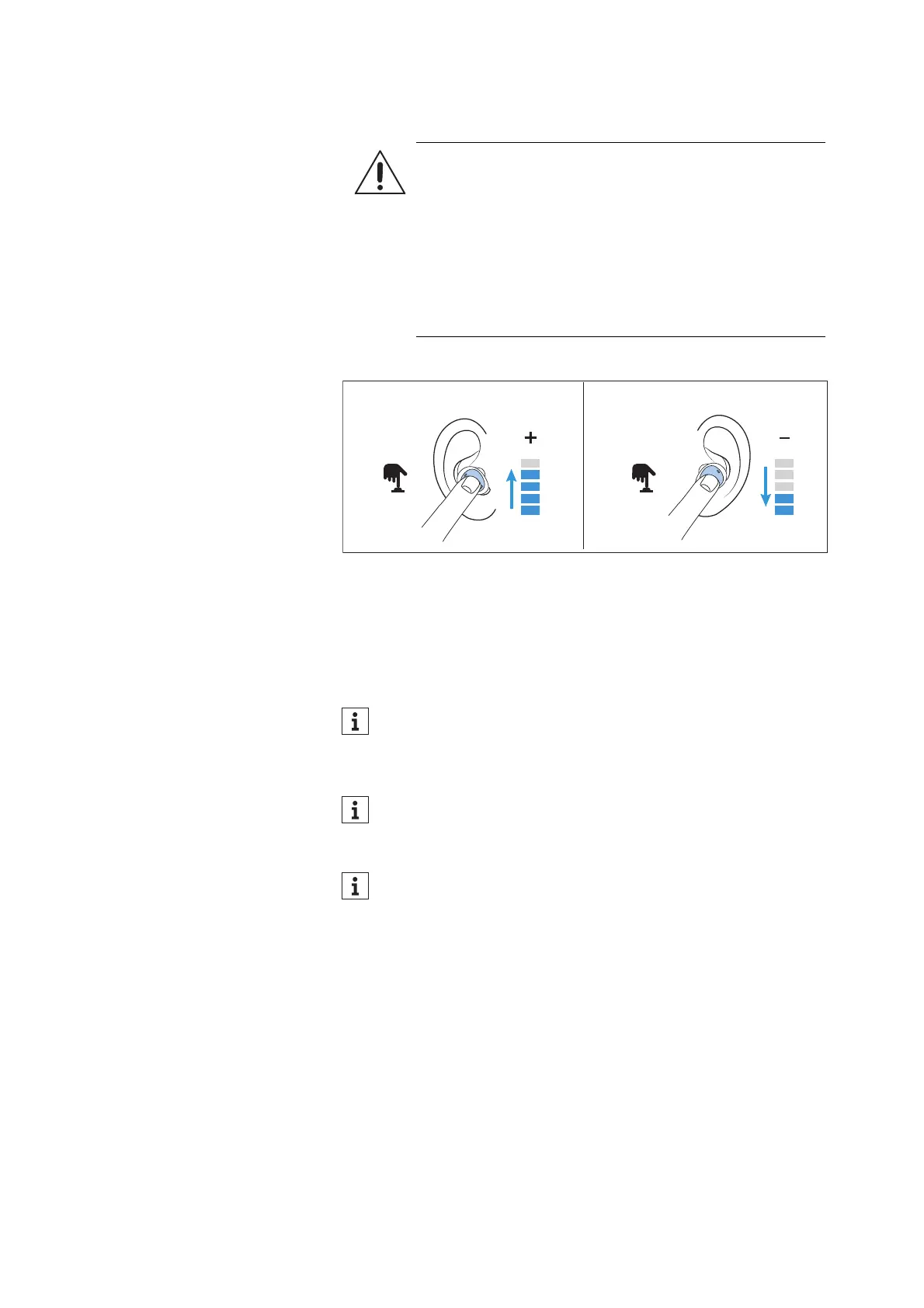
During streaming or a call, you can change the volume.
▷ Short-press to the right (< 0.5 seconds) to increase the volume.
▷ Short-press to the left (< 0.5 to the) to reduce the volume.
A short acoustic signal confirms each change of the volume.
When you adjust to the maximum or minimum value, the voice
prompt “maximum” or “minimum” can be heard.
“Ambient Awareness”
An important feature of the earbuds is the possibility to hear ambient
sounds while streaming.
By default, the ambient sound level switches between level 0 (OFF)
and 6.
▷ Double tap the right earbud to switch ambient sounds off or on.
WARNING
Danger of hearing damage due to high volume levels!
Listening at high volume levels can lead to permanent
hearing defects.
▷ Before putting the headphones on and before toggling
between audio sources, adjust the volume to a low
level.
▷ Do not continuously expose yourself to high volume
levels.
Alternatively, you can also change the volume via the smart-
phone.
Some smartphones prevent you from adjusting a high volume
level when listening to music. If necessary, you must first allow
high volume levels in the menu of your smartphone.
The volume and speech clarity settings are automatically
stored when the earbuds are switched off.
Right
Volume Volume
Left
Short Press 1x Short Press 1x




 To Next Page