Need help?
Do you have a question about the Sens DCT Series and is the answer not in the manual?
Crucial safety and operating instructions for Stored Energy Systems (SENS) model DCT.
Vital installation and use instructions for satisfactory charger operation. Contact SENS for doubts.
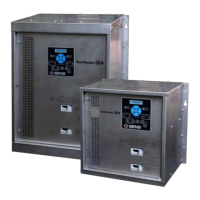
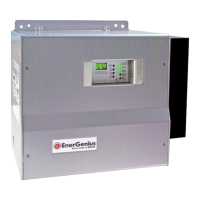
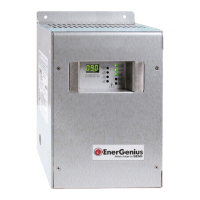
Details the DCT's features as an automatic battery charger and DC current source.
Instructions for inspecting the charger for transit damage and reporting it.
Guidance on mounting the charger, including wall and rack mounting considerations.
Procedures for securely mounting the charger to a wall using appropriate hardware.
Steps for mounting the charger in a standard 19-inch relay rack.
Instructions for making AC and DC power connections directly to circuit breakers.
How to configure the charger for different input voltage selections (115V or 230V).
Specific strapping instructions for the 230V input configuration.
Specific strapping instructions for the 115V input configuration.
Details on connecting alarm system configurations to the charger.
Explains the TC feature and how to use local or remote sensors for battery temperature.
Step-by-step procedure for safely starting up and shutting down the charger.
Describes the two primary operating modes: FLOAT for maintenance and BOOST for full charge.
Details the FLOAT mode as the normal charging position for batteries.
Explains the BOOST mode for overcharging to ensure full cell charge.
Outlines the different control systems for selecting FLOAT, BOOST, or AUTO modes.
Explains the meaning and visibility of various alarm LEDs on the charger front panel.
Procedure for adjusting the charger's output voltage using potentiometers.
Table of factory-set voltages for different battery types and alarm thresholds.
Information on setting up chargers for forced load sharing in parallel operation.
A table listing common symptoms, possible causes, tests, and corrective actions.
Detailed tests for diagnosing specific components like transformer, diodes, and SCRs.
 General
| Operating Temperature | -20°C to +60°C |
|---|---|
| Dimensions | Varies by model |
| Weight | Varies by model |
| Output Voltage | 12, 24, or 48 VDC (depending on model) |
| Battery Type | Lead-acid |
| Mounting | Wall mount |
| Protection | Over-voltage, Over-current, Short-circuit, Over-temperature |


 To Next Page